 4 min
4 minWhat you’ll learn in this article
As of 2023, WhatsApp has over 2.7 billion monthly active users, making it the most popular messaging app in the world, according to Business of Apps.
It’s widely used in more than 180 countries. With this global reach, WhatsApp is no longer just a personal messaging app it’s become a core customer communication tool.
And that’s exactly why investing in a CRM integration with WhatsApp is such a smart move.
By connecting your CRM to WhatsApp, you create a centralized and automated communication hub that improves sales speed, follow-up consistency, and customer experience.
In this article, you’ll learn how to connect WhatsApp with your CRM, what benefits it brings to your business, and how to set everything up without writing a single line of code.
3 Benefits of CRM integration with whatsApp
When your CRM is integrated with WhatsApp, you unlock three major advantages for your business:
- Faster negotiation
- Centralized communication
- Process automation
You can implement the first two benefits using a CRM with native WhatsApp Business support. The third automation can be handled through platforms like Pluga, without any code.
1. Faster negotiation
When your CRM is synced with WhatsApp, your sales team gets immediate access to organized customer data, making it easier to create relevant proposals and move deals forward quickly. 🤑
Since WhatsApp is known for fast, real-time conversations, integrating it with your CRM allows for instant communication. You can quickly respond to questions, resolve issues, or even close deals, all without switching between systems.
2. Centralized communication and customer data
You’ve probably seen a “Chat on WhatsApp” button on business websites. Companies that integrate WhatsApp Business into their CRM often use this to generate leads automatically and it works.
When a customer initiates a conversation via WhatsApp, the interaction can be automatically logged in the CRM. That means your team has access to full conversation history and contact info in one place giving them the context needed to personalize service and move faster.
3. Automating workflows and follow-ups
A CRM integration with WhatsApp doesn’t just improve speed it also lets you automate important parts of your sales and support process.
For example, you can:
- Set up automatic replies
- Send reminders for appointments or renewals
- Trigger automated WhatsApp messages when a deal is won or a lead is qualified
This helps maintain consistency in your communication and ensures timely follow-up without adding more manual work to your team.
Example:
Let’s say you run an optical store and want to remind a customer about a special discount. With automation in place, your CRM can trigger a WhatsApp Business template message as soon as the lead status changes, no human input required.
Bonus tip: Use WhatsApp chatbots
If you want to go one step further and activate a chatbot in WhatsApp, simply integrating it with your CRM might not be enough. In that case, you can use tools like ManyChat to build messaging flows and automations.
How to integrate WhatsApp with your CRM
CRMs help you manage sales pipelines, track interactions, and keep customer data organized. But when you connect your CRM to WhatsApp Business, you gain control over every communication channel in one place.
And the best part? You can do it without writing code, using a no-code automation platform like Pluga.
What you’ll need:
- A Pluga account
- A Meta for Developers account (to activate the WhatsApp Business API)
- An account on the CRM you want to integrate
For this example, we’ll walk through the process using Pipedrive.
Step-by-step: WhatsApp CRM integration using Pluga
Let’s say you want to send a WhatsApp message every time a deal is marked as “Won” in your CRM. Here’s how to set it up in Pluga:
- Log into Pluga and click “Create automation”. Give it a name.
- Choose your CRM as the source app and select the trigger (e.g. “Won deal”).
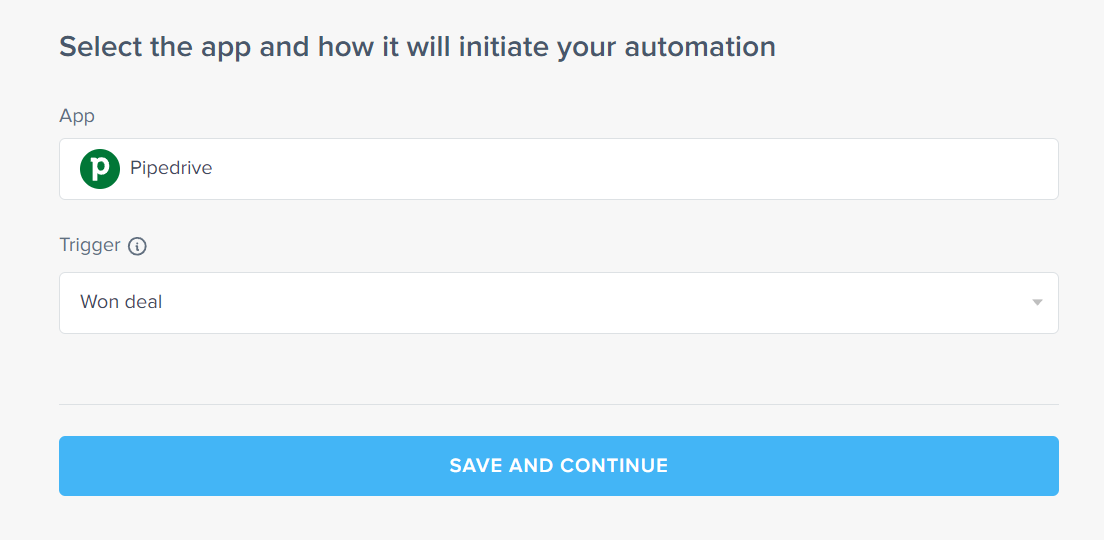
- Connect your CRM account and click “Save and Continue.”
- Decide whether this action should trigger once or multiple times and click “Save and Continue.”
- Apply filters if needed, then click “Save and Continue” and “Connect new app”
- Choose WhatsApp Business API as the destination app, and pick the action.
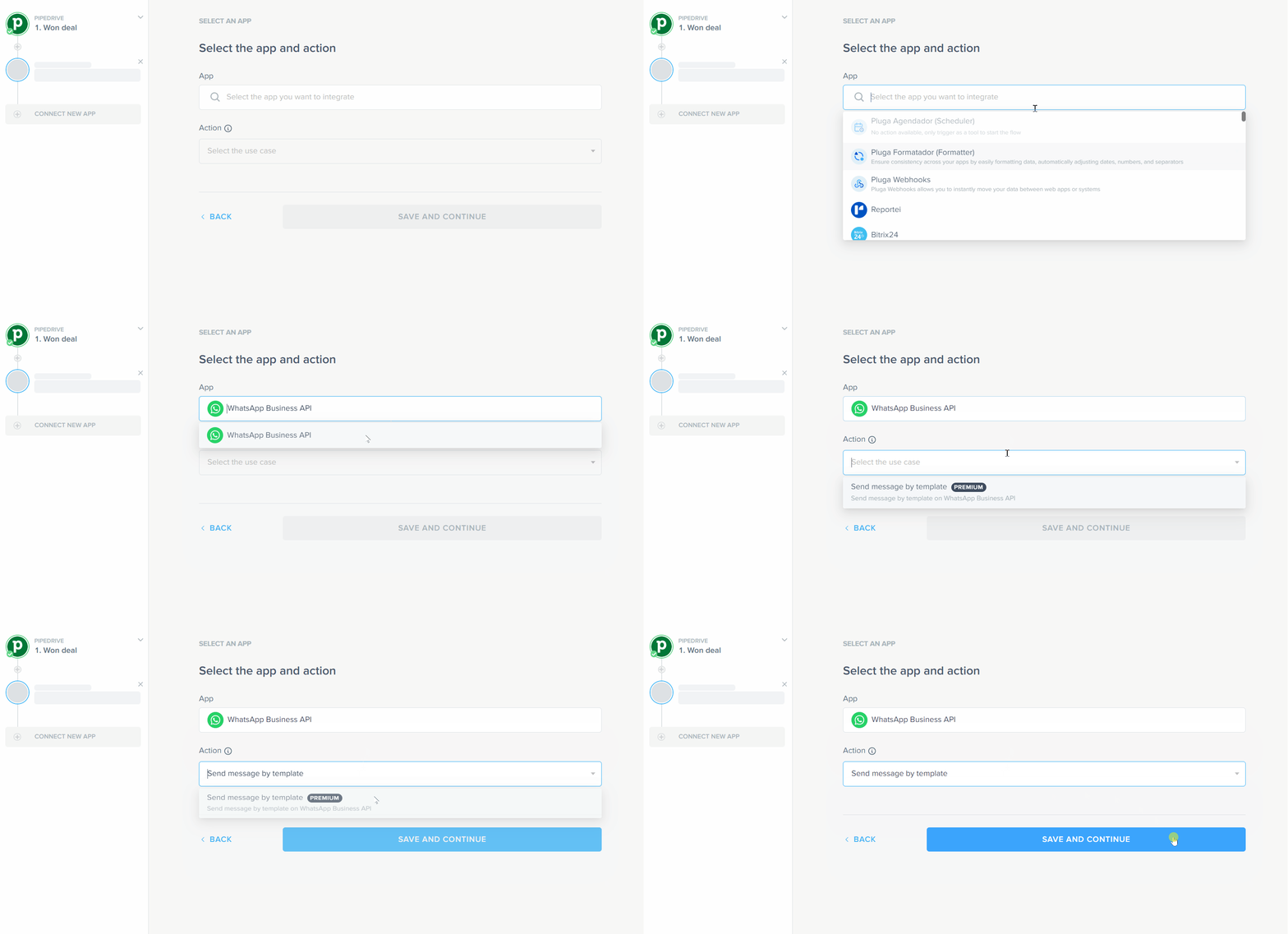
- Connect your WhatsApp Business account and click “Save and Continue”.
- Configure the message and other options on Meta.
- Map fields (recipient’s phone,and if you want, variables, buttons, headers and footers) from the CRM to WhatsApp message fields.
- Click “Save and Continue” and “Finish automation.”
Done! ✨
Now every time a deal is marked as won, your CRM will automatically send a WhatsApp message using a predefined template.
Read too: How to integrate Pipedrive with Mailchimp? The Easiest Way
CRMs with native WhatsApp integration
If your focus is fast setup without third-party tools, here are some CRMs that offer native WhatsApp Business support:
- HubSpot
- Kommo CRM
- Zoho CRM
- Salesforce
- Bitrix24
However, for maximum flexibility and automation (especially across multiple apps) a no-code integration platform like Pluga is often the best choice.
FAQs: what you need to know
How do I integrate WhatsApp with my CRM?
Use tools like Pluga to connect your CRM and WhatsApp Business with no code required. You’ll need:
- A Pluga account
- A Meta for Developers account with WhatsApp Business API access
- The CRM account you want to connect
What are the main benefits of a CRM integration with WhatsApp?
When you integrate WhatsApp with your CRM, you unlock:
- Faster lead response times
- Centralized communication history
- Automated messages and workflows