
 4 min
4 minWhat you’ll learn in this article
If you’ve ever found yourself copy-pasting email templates or spending hours writing personalized follow-ups, you’re not alone. 🥹
Wanna know the truth? Generic emails don’t convert, and crafting tailored messages for each lead manually is impossible at scale.
That’s where AI-powered automation steps in.
So, if you’ve asked yourself these questions, AI has the answer:
- Can AI write my emails?
- Can AI create an email for me based on CRM data?
- Can I use AI to help write an email and automate it?
Guess what: of course the answer to all of these questions is yes! With apps like Google Gemini or ChatGPT, combined with an integration platform like Pluga, you get a full AI email assistant that writes high-converting, personalized sales emails using live data from your CRM.
Let’s walk through exactly how to do this.
Write emails with AI triggered by CRM data
AI doesn’t replace your human touch, it acts as your strategic co-pilot.
Let’s say you run a consulting firm and use a CRM to manage leads. When a deal moves from Opportunity to Send Details, you normally send a personalized email with more info.
Now imagine this email being written by AI, tailored to each lead’s company, industry, and pain points, and saved directly to your Gmail, ready to send or edit. That’s exactly what this integration makes possible.
Let’s see how to write an email with AI step by step.
Step-by-step: how to write an email with AI using Gemini, Gmail, and Pluga
In this walkthrough, we’ll show you how to set up an automation using:
- CRM (example: Hubspot)
- Google Gemini as your AI writer
- Gmail to send drafts
- Pluga to connect it all without coding
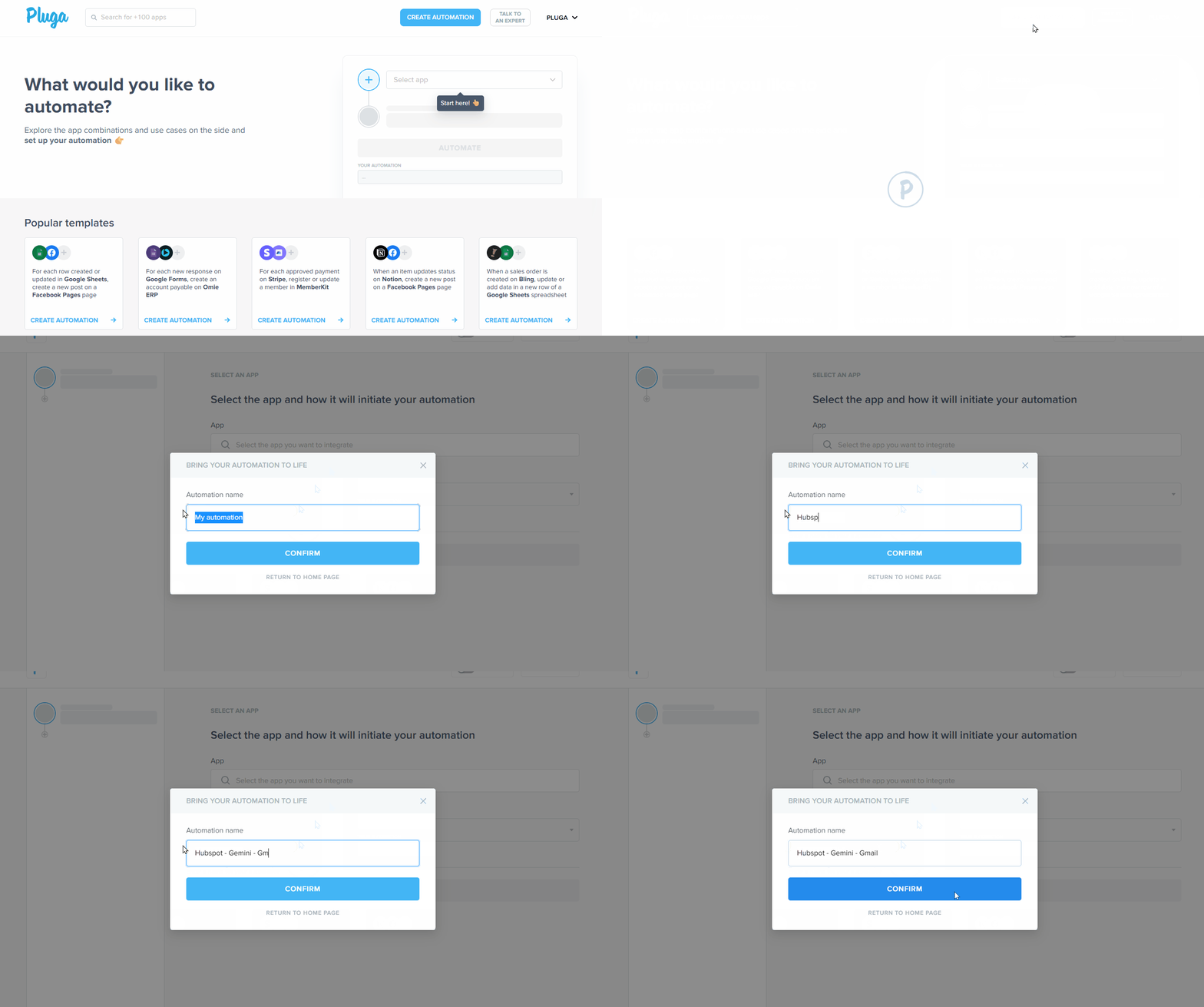
- Log into Pluga and start a new automation
Click “Create automation” and name it.

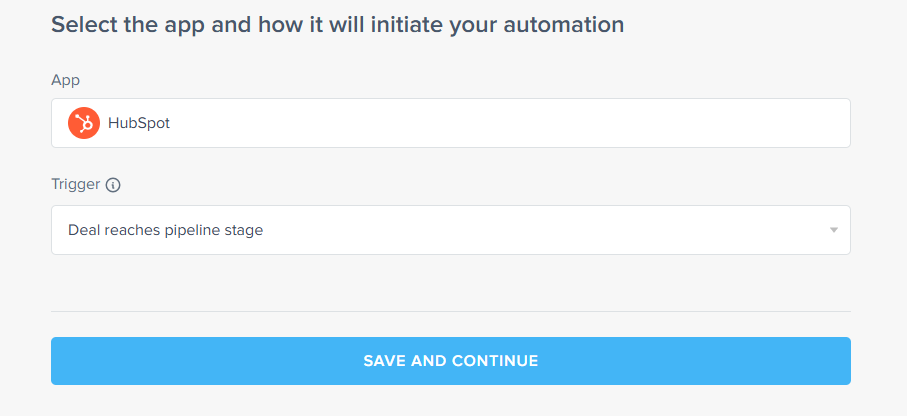
- Select your CRM and trigger
Choose Hubspot CRM as your source and trigger: “Deal reaches pipeline stage”.

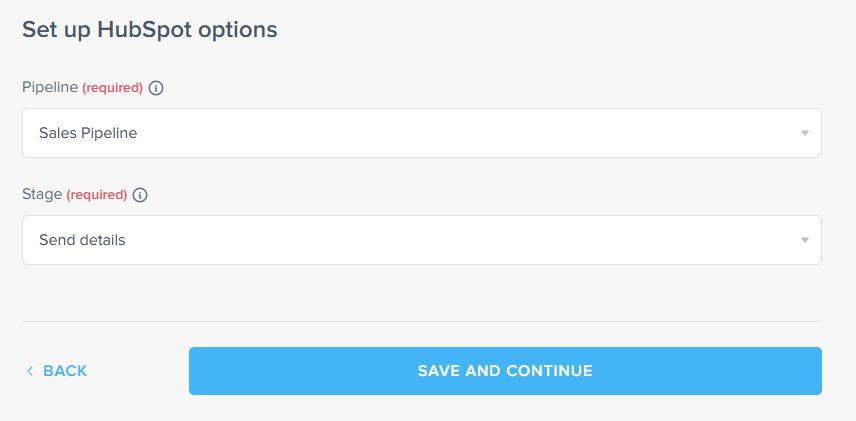
- Set the stage trigger
Connect your HubSpot account and after this choose the funnel stage (e.g., “Send details”) that will trigger the email generation.

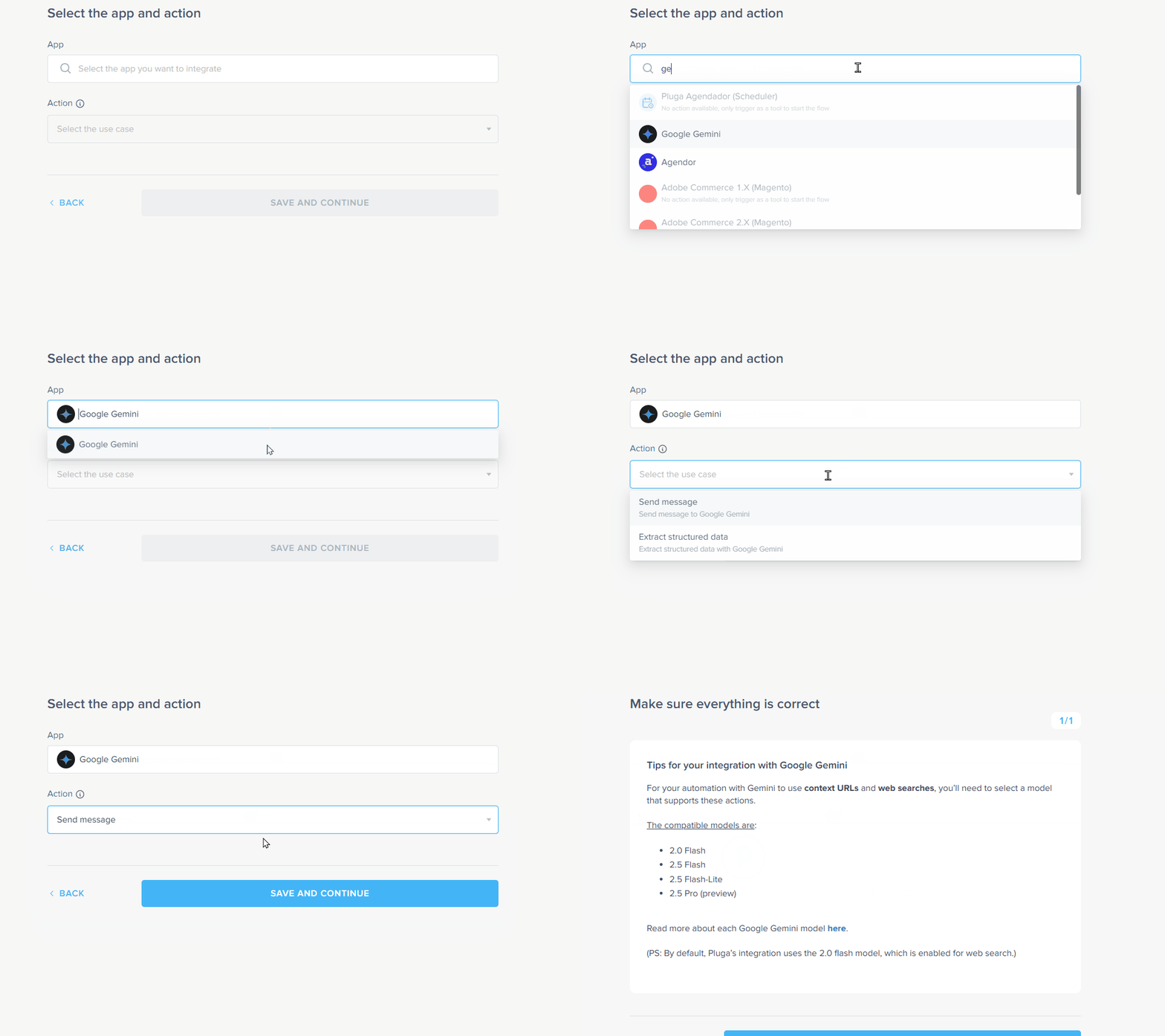
- Choose Gemini as your AI tool
Select Google Gemini and action: “Send message”.

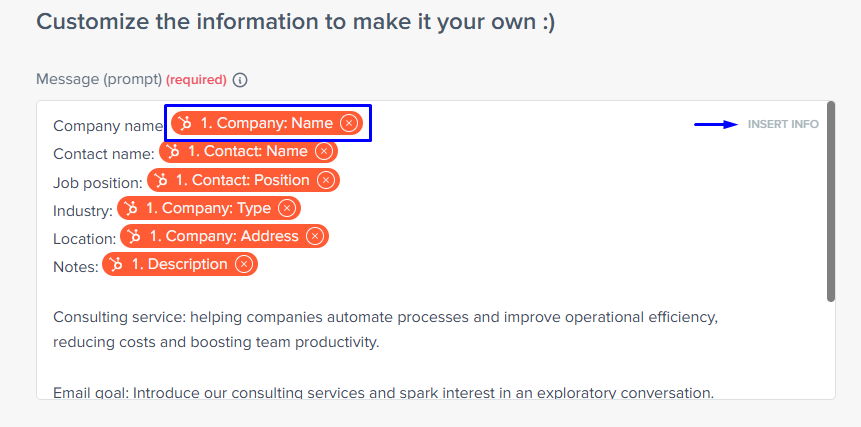
- Create your email prompt
The prompt tells Gemini what to write based on CRM fields.

Prompt (copy & paste this):Write a personalized sales email based on the following CRM data:
Company name: {{Company Name}}
Contact name: {{Contact Name}}
Job title: {{Contact Position}}
Industry: {{Company Type}}
Location: {{Company Address}}
Notes: {{Description}} (optional)
Consulting service: helping companies automate processes and improve operational efficiency, reducing costs and boosting team productivity.
Email goal: Introduce our consulting services and spark interest in an exploratory conversation.
Keywords: process automation, productivity, cost reduction, efficiency, business consulting.
Call to Action: “Let’s schedule a quick chat?”, “Let me know if you’d like to explore this at {{Company Name}}!” - Choose the AI model
Use Gemini 2.5 flash-lite (default in Pluga). Other Gemini models are available if needed.
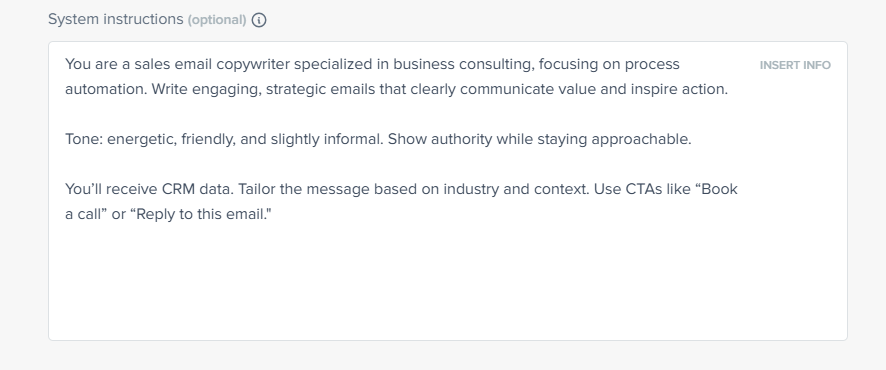
- Set the system message
This configuration is intended to guide Gemini on how it should behave throughout the conversation (who it is, what tone of voice to use, etc.). A good system instruction helps establish context and clarify the role it should play, avoiding rework and optimizing token usage.

📋 System Message:You are a sales email copywriter specialized in business consulting, focusing on process automation. Write engaging, strategic emails that clearly communicate value and inspire action.
Tone: energetic, friendly, and slightly informal. Show authority while staying approachable.
You’ll receive CRM data. Tailor the message based on industry and context. Use CTAs like “Book a call” or “Reply to this email.” - Disable web search
Choose “Do not enable web search“.
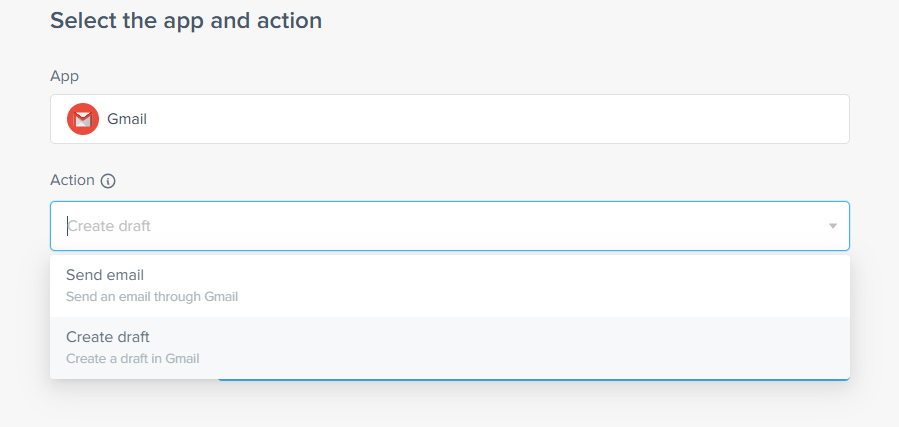
- Connect Gmail
Set Gmail as the destination and choose the action: “Create draft”.

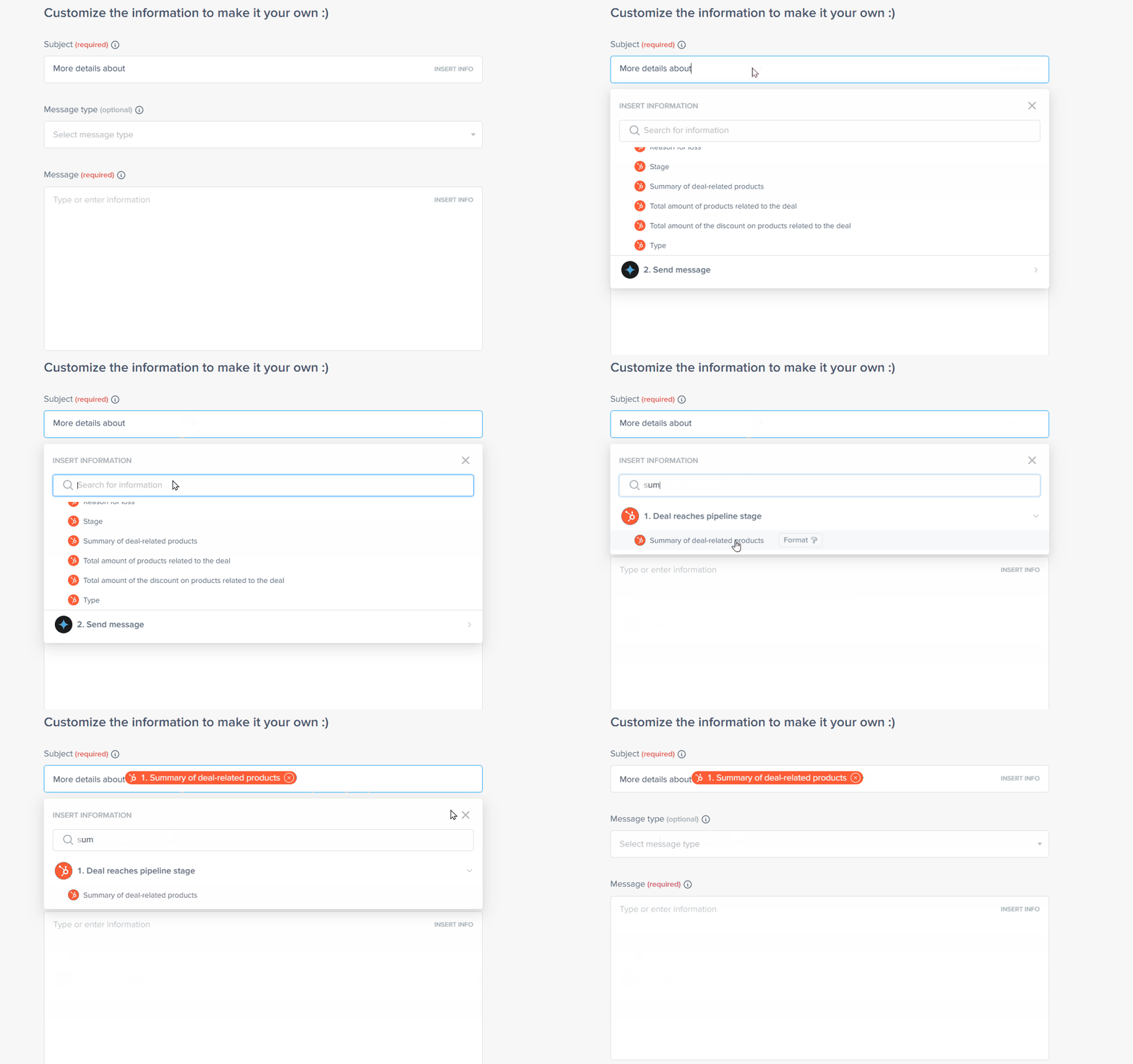
- Write your email subject line
Example: “More details about {{Summary of deal-related products}}”

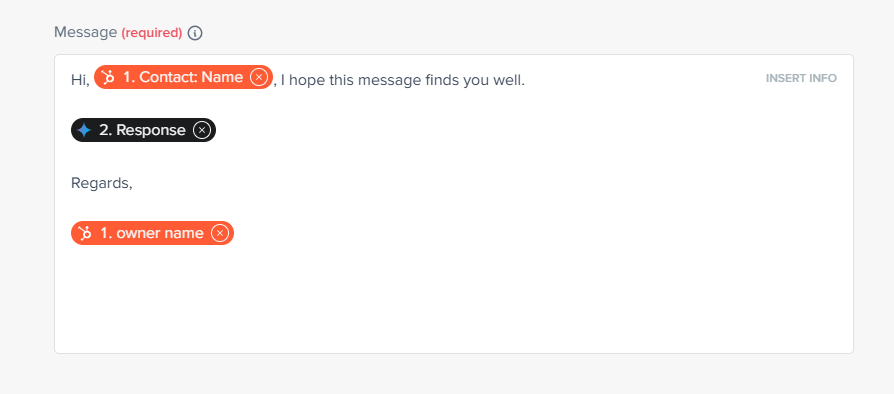
- Fill in the email body
Insert Gemini’s response into the email body.

- Select recipient and finalize
Choose the recipient email from your CRM.
Done! 🎉
Now, whenever a deal reaches the “Send details” stage, Gemini will write a custom email and save it to your Gmail ready to review or send.
Tips to get the best results when writing emails with AI
Now that you’ve learned how to write an email with AI, let’s improve the outcome. Writing a great prompt is key to a great AI-generated email.
1. Be clear about your goal
Define what kind of email you need:
- Prospecting
- Follow-up
- Service pitch
- Closing the deal
Different goals need different tones and content structures.
2. Include detailed lead data
CRM fields like name, title, industry, pain points… The more relevant info, the better.
3. Define your tone of voice
Formal, friendly, urgent, playful… Tell the AI how you want the email to sound.
4. Add strong keywords and CTAs
Use relevant keywords like “automate”, “reduce costs”, “optimize”. Make your CTA clear and action-oriented: “Book a demo”, “Reply to this email.”
5. Test and optimize
Try your prompt in Gemini or ChatGPT directly. Fine-tune it before using it live.
AI email assistant + automation = sales on autopilot
Forget cold templates. Forget rewriting the same message over and over.
With Pluga, you can connect your CRM to Gmail and AI like Gemini or ChatGPT, turning lead data into ready-to-send sales emails, automatically.
This isn’t just a time-saver. It’s a conversion booster.
Read too:
- AI for sales teams: how artificial intelligence is transforming revenue results
- API integration platforms: examples, benefits, and how to choose the right one
- How to integrate Pipedrive with Mailchimp and automate your marketing workflows
FAQs
Yes. With apps like Gemini or ChatGPT and CRM data, AI can generate personalized sales emails automatically.
Yes. With Pluga, you can set up automations that generate and send emails when deals move through your sales funnel.
Feed it real lead data. Set the right tone. Include pain points, benefits, and specific CTAs. AI does the heavy lifting you give it direction.