 7 min
7 minWhat you’ll learn in this article
There was a time when automating a task meant sending a ticket to your IT team, waiting a few days (or weeks), and crossing your fingers that the code would work. Today, that feels almost prehistoric. With no-code automation platforms, anyone, from a marketer to a customer success manager, can connect apps, build workflows, and automate repetitive tasks, all without touching a single line of code. 🤯
This isn’t just a productivity hack. It’s a quiet revolution that’s reshaping how teams operate.
No-code apps have turned automation into something universal: accessible, fast, and surprisingly creative.
But what exactly is no-code automation, and how is it different from low-code? Let’s break it down.
What is no-code automation?
At its core, no-code automation means using visual tools to create automated workflows, without writing code. Instead of programming logic with syntax and variables, you drag, drop, and connect prebuilt actions like “When this happens, do that.”
For example:
- When a new lead fills out a form on your website (trigger),
- Automatically add them to your CRM and send a welcome email (action).
It’s automation made visual, a process that replaces technical complexity with intuitive logic.
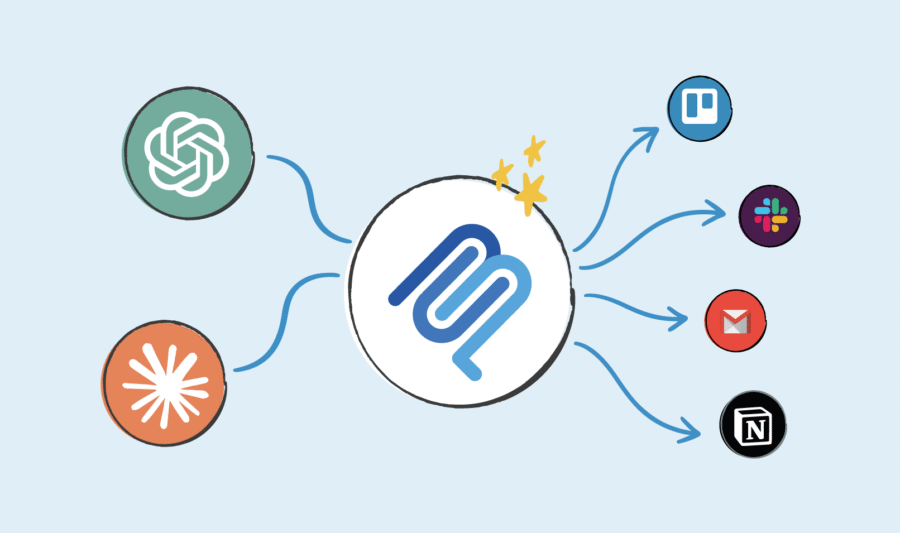
No-code automation platforms (like Pluga) give anyone the power to connect apps, move data, and create streamlined processes that used to require developer hours. This simplicity doesn’t just save time, it transforms how teams think about problem-solving.
The difference between no-code and low-code
These two terms are often mentioned together, but they’re not the same thing. Think of them as points on a spectrum:
- Low-code platforms are designed for developers or technically skilled users who want to accelerate development. They still require some coding knowledge, but a lot of the repetitive groundwork (UI building, logic setup, API connections) is visual.
- No-code platforms, on the other hand, completely eliminate the need for code. Everything is built using drag-and-drop interfaces, pre-configured integrations, and natural language triggers.
Both empower automation, but no-code takes it a step further, it democratizes it.
How no-code automation works
Every no-code automation is built around three simple components:
- Triggers: The event that starts your workflow (e.g., “When a new email arrives…”).
- Actions: What happens next (e.g., “…send a message to Slack and update a spreadsheet”).
- Connections: The apps or services linked together (e.g., Gmail + Slack + Google Sheets).
These elements form workflows that can handle everything from marketing automation to project management updates.
Benefits of no-code automation
No-code automation isn’t just about convenience, it’s a strategic shift. It’s changing how businesses operate by redistributing power across teams. Instead of waiting for developers or technical teams, anyone can build the workflows they need to do their best work.
Let’s look at the key benefits that make no-code automation so impactful.
Accessibility for non-developers
The most obvious advantage is accessibility. No-code platforms empower marketers, HR professionals, and operations managers to automate daily tasks without depending on IT.
This shift has a huge impact: it removes technical barriers and lets teams solve problems themselves. Instead of asking, “Can someone build this for me?” people start thinking, “What can I automate next?”
Speed and agility
Workflows that would have taken weeks of development can now be set up in minutes. Need to sync leads from your form app to your CRM, or post updates from your project board to Slack? Just connect the dots.
This agility lets teams test, integrate, and refine their operations at the same pace as their ideas. It’s not about replacing developers, it’s about freeing them up to work on the complex stuff while everyone else automates the rest.
Cost efficiency
Every manual task that gets automated is time (and money) saved.
Instead of hiring developers for small internal automations or paying for expensive custom solutions, teams can use intuitive, affordable apps to achieve the same results.
That’s why many small and mid-sized businesses are going all-in on no-code: it keeps their operations lean, flexible, and scalable, without ballooning their budgets.
Scalability for growing teams
No-code workflows grow as your business grows. That means you can start small (automating form submissions or client onboarding steps) and evolve into complex, multistep automations that connect entire systems.
And because these workflows live in visual dashboards, it’s easy for anyone to understand, update, or expand them later. No cryptic code. No “only Paul knows how this works” kind of situation.
Democratization of innovation
When anyone can automate, innovation stops being centralized in tech teams, it becomes cultural.
A finance analyst might create a workflow to reconcile invoices; a support rep might automate customer follow-ups; a social media manager might schedule posts automatically from a spreadsheet.
Each of these small wins adds up to something big: a company that constantly improves itself from the inside out.
You might also like:
Facebook Ads Insights integrated with Pluga: streamline your campaign tracking
What is API integration and why it matters for your business
How to write email with AI: step-by-step + prompts included
Common use cases for no-Code automation
One of the best things about no-code automation is its versatility. It’s not limited to one department or one industry, if your team uses digital apps chances are, automation can make your life easier.
Here are some of the most common use cases:
Business process automation
No-code business automation focuses on streamlining internal operations, approvals, data management, and reporting.
Example: When a new client contract is signed in Google Docs, automatically notify your finance team in Slack and update your tracking spreadsheet.
Result: fewer bottlenecks, more visibility, and processes that actually flow.
Marketing automation
Marketing teams live and breathe repetitive workflows, capturing leads, sending emails, posting content, tracking metrics.
With no-code process automation, all of this can be handled behind the scenes:
- New leads from Meta Ads are added to your CRM automatically;
- Email campaigns are triggered without manual imports;
- Content performance data is synced across dashboards.
That’s not just productivity, that’s clarity and consistency across every marketing touchpoint.
Customer support and experience
Support teams can automate ticket routing, customer notifications, and satisfaction surveys with zero coding required.
For example:
When a new customer opens a ticket in Zendesk, automatically tag the right team, send an update in Slack, and add the ticket data to Notion for tracking.
It keeps the customer experience fast, consistent, and human, even when powered by automation.
Operations and project management
From onboarding new hires to tracking project progress, operations teams are automation gold mines.
Imagine:
Every time a task is marked “Done” in Notion, a message goes out to the client in WhatsApp (through WhatsApp Business with Notion integration, for example) confirming delivery.
Simple automations like that can save hours every week, and keep teams focused on work that actually moves the business forward.
No-code vs. low-code automation: which one do you need?
Both no-code and low-code platforms are designed to simplify automation, but they serve slightly different audiences and purposes.
Here’s a quick comparison to help you decide.
| Feature | No-Code Automation | Low-Code Automation |
| Target user | Non-technical users | Developers or tech-savvy users |
| Coding required | None | Minimal or optional |
| Customization | Limited to prebuilt logic | Highly customizable |
| Speed | Extremely fast setup | Slightly slower, more flexible |
| Use cases | Marketing, sales, HR, support | Complex internal systems, app development |
If your goal is to automate business workflows and connect apps you already use, no-code is almost always enough.
If you need to build or extend apps with deeper customization, low-code may be the better fit.
But increasingly, companies are adopting a hybrid approach, using both, depending on the complexity of each process.
Choosing a no-code automation platform
So, you’re ready to automate, now what?
Choosing the right no-code automation platform depends on your goals, your tech stack, and how your team works. Here’s what to look for.
Ease of use
The beauty of no-code is simplicity, if it feels complicated, it’s missing the point.
Your platform should offer:
- A clean, visual interface (drag-and-drop logic);
- Easy setup with minimal learning curve;
- Clear triggers and actions between apps.
Integration ecosystem
No automation tool is useful on its own,it lives or dies by the apps it connects with.
Look for platforms with wide integration coverage: CRMs, email platforms, databases, project management apps, social networks, etc.
Some platforms focus on connecting the apps businesses already love, like Google Sheets, Slack, Notion, and HubSpot, without overcomplicating the setup.
Templates and scalability
Pre-built templates are lifesavers, especially for beginners. They help you visualize common workflows and adapt them to your use case in minutes.
As your automation needs evolve, scalability matters too. You’ll want features like conditional logic, multistep automations, and advanced filtering, all without losing the no-code simplicity.
Pricing and free plans
If you’re just getting started, explore free no-code automation platforms first. Many of them offer generous free tiers so you can experiment before upgrading.
That makes it easier for teams to test ideas, find what works, and scale their automation strategy gradually.
Building a smarter way to work
No-code automation isn’t just a trend, it’s a new operating system for modern work.
It bridges the gap between ideas and execution, giving everyone the power to build, connect, and improve how things get done. Whether you’re running a small business or scaling a growing team, automation can make your day-to-day more efficient, focused, and, let’s be honest, a lot less chaotic.
And that’s the beauty of it: you don’t need to be a developer to automate like one.
Platforms like Pluga are proving that automation can be easy, human, and accessible, empowering teams to spend less time managing apps and more time doing meaningful work.
Because when the routine takes care of itself, creativity finally has room to breathe.
Keep in mind
No-code automation allows you to build workflows between your favorite tools without writing code. It works through triggers (events that start an action) and actions (the tasks that follow).
For example, when someone fills out a form on your website, a no-code automation tool can automatically add that data to your CRM and send a Slack notification, all set up visually, no programming required.
The main benefits of a no-code platform include accessibility, speed, cost savings, and independence from developers. You can automate repetitive processes in minutes, test ideas quickly, and let your technical team focus on more complex challenges.
Low-code platforms still require some programming knowledge and are often used by developers to speed up software creation. No-code platforms are completely visual and meant for non-technical users who want to automate processes, integrate tools, and create workflows without writing any code.