
 4 min
4 minWhat you’ll learn in this article
Facebook Ads Insights is how we refer to Meta’s ad manager inside Pluga’s hub. With it, you can analyze the performance of your ad campaigns.
Using the ad manager, businesses and agencies can monitor essential ad metrics in real time, like: engagement, reach, conversion, and ROI (return on investment). In other words: everything you need to identify which channels, creatives, and audiences are driving the best results.
In practice, the ad manager acts as a “live” dashboard, where data is updated every time an impression or interaction from your audience happens. This information is used by paid media analysts to build reports and present campaign performance to managers or clients.
But accessing this data, and even creating reports, can become much more efficient when you integrate Facebook Ads Insights with other apps on Pluga.
Keep reading to see what you can do with this integration. 😄
How Facebook Ads Insights integration works on Pluga
With Pluga’s Facebook Ads Insights integration, you can automate the collection and distribution of the data you normally view inside Meta’s ad manager.
That’s because the integration takes care of the manual work for you (or your team) accessing the ad manager on a regular basis to view or download data, and then updating spreadsheets or reports accordingly.
Here’s how it works:
- Something happens in App A: A trigger occurs (for example: a new campaign creation task is launched in your project management system)
OR
- A scheduled search is set via Pluga Scheduler (e.g. every day at 12:00 AM)
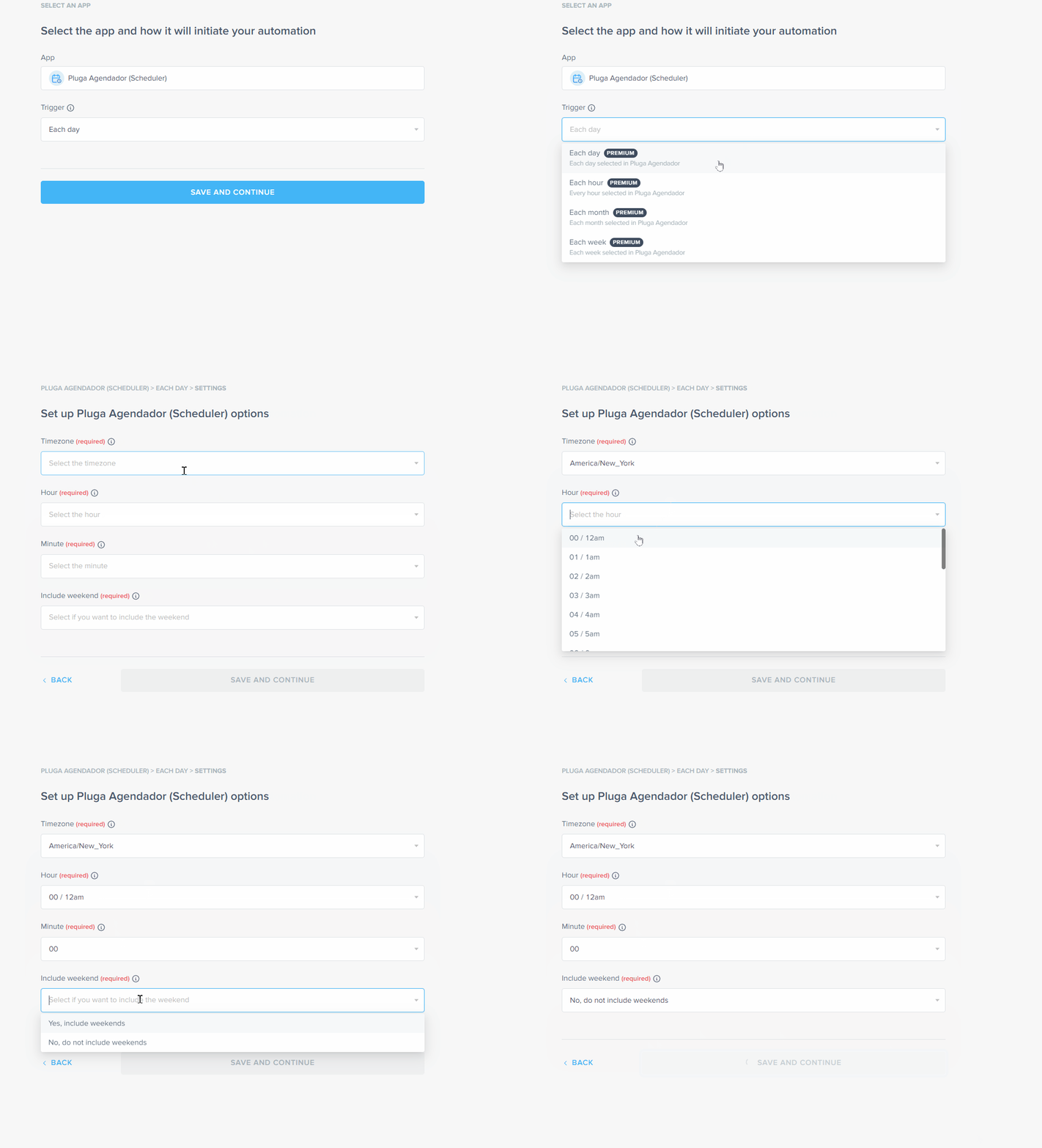
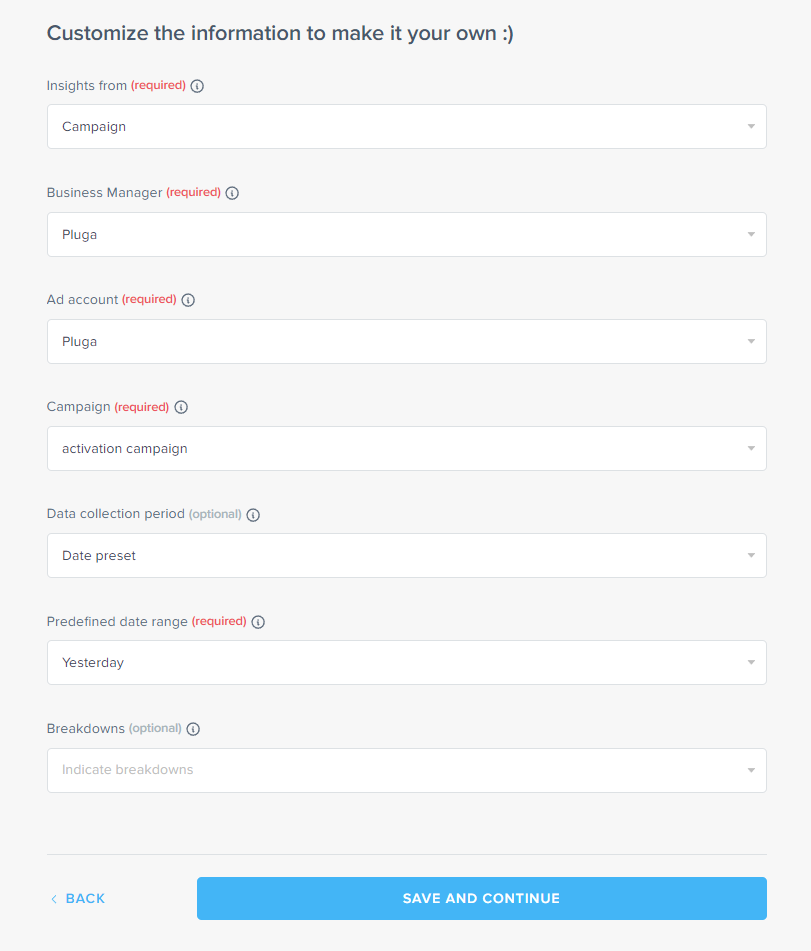
- Facebook Ads Insights data is retrieved: Pluga captures a “snapshot” of your ad, ad set, or campaign performance, pulling updated metrics for a pre-defined time period (e.g. “yesterday”).
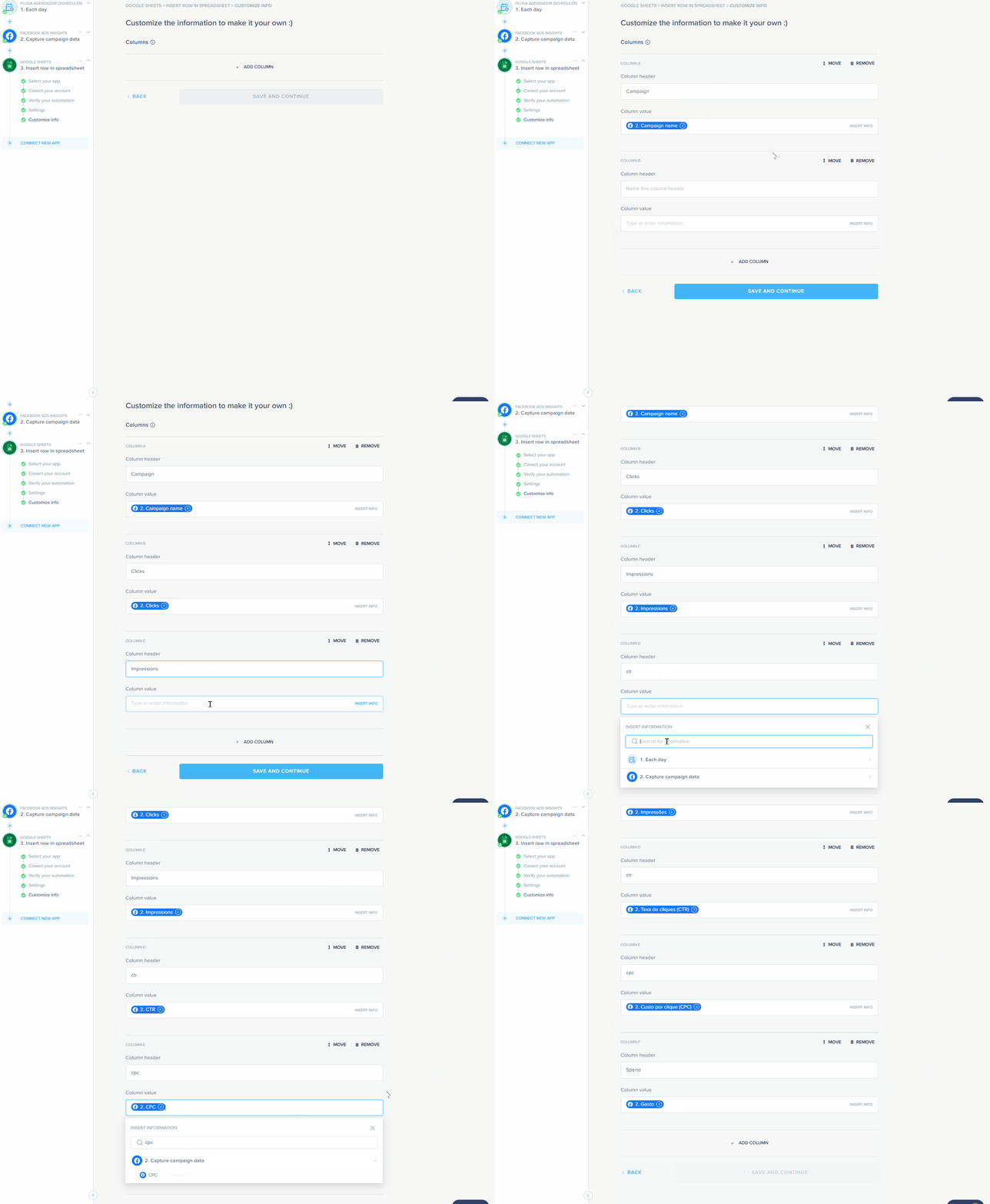
- Data is sent to the destination app: This snapshot is automatically added to spreadsheets, documents, emails, communication channels, or wherever you need it.
💡 Tip when building your automation: Facebook Ads Insights acts as an intermediate action. Meaning you’ll need to add another step to your automation after capturing the data in order to tell Pluga where to send it.
That doesn’t mean your flow must be limited to just three steps, ok? But it does mean that Facebook Ads Insights can’t be the first or the last app in your automation flow.
See also:
- What is API integration and why it matters for your business
- How to generate B2B leads: 7 fast, scalable strategies to grow your pipeline
- CRM integration with WhatsApp: how this duo can help you sell more
Use cases: connecting Facebook Ads Insights to other apps
With the Facebook Ads Insights integration, you can connect you Meta ads manager to a wide range of apps and unlock different possibilities:
Campaign optimization
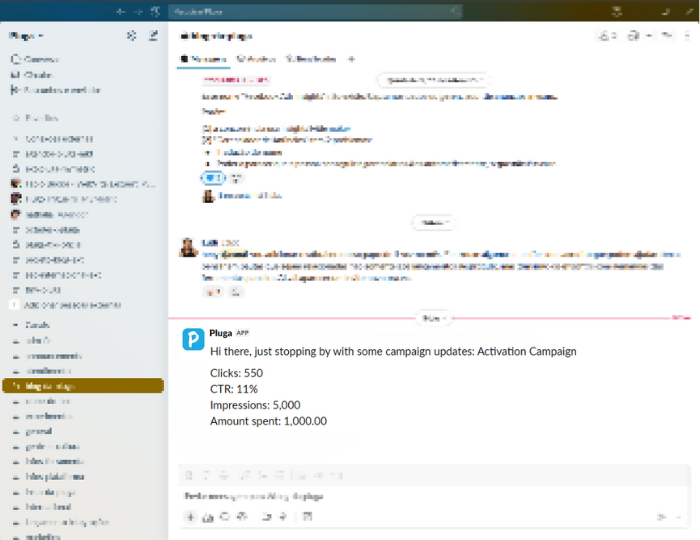
By integrating Pluga Scheduler, Facebook Ads Insights, Google Sheets, and Slack, you can access campaign data without needing to open Meta’s dashboard.
For example, in this automation below you’ll receive automatic alerts about metrics like CPC, CTR, and ROAS helping you identify underperforming ads and adjust budgets, targeting, or creatives at the right time.
Simply define in Pluga Scheduler how often you want Facebook Ads Insights data sent to a Google Sheets spreadsheet.
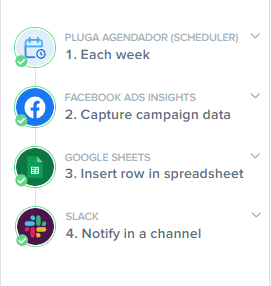
Then, trigger a notification in a Slack channel.
Automated reports
Schedule weekly or monthly reports with key campaign results eliminating manual data exports and ensuring that your team or clients always get the most up-to-date info.
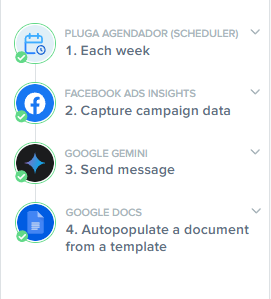
Just like you set up a recurring data transfer to Google Sheets, you can also configure it to create a Google Docs report.
Even better: you can use AI (like ChatGPT or Gemini) to help compile campaign data and generate reports with summaries, actions, and insights. Here’s what that automation might look like:
Remarketing monitoring
With spreadsheet integration, you can also automate the tracking of metrics like cost-per-conversion in remarketing campaigns, syncing this data with your financial spreadsheets to get a clear view of ROI.
Integrated funnel analysis
Sometimes, connecting ad performance to actual sales can take longer than it should.
But by using a spreadsheet integrated with both Facebook Ads Insights and your CRM, you can link campaign data to CRM records helping you understand the relationship between ads and real sales, and identify bottlenecks and improvement opportunities in your funnel.
Optimize your campaigns now!
With the Facebook Ads Insights + Pluga integration, you no longer have to spend hours in Meta’s ad manager manually pulling data.
Now you can enjoy automated reports, smart alerts, and up-to-date metrics flowing through the tools you already use.
👉 Start optimizing your Facebook Ads Insights campaigns in Pluga today.
What’s new at Pluga
Pluga isn’t just about new features. Our platform is constantly evolving with regular product improvements and more and more apps being added to our hub.
Click the button below to check out all the latest updates from Pluga.