 3 min
3 minWhat you’ll learn in this article
Not every app you use daily is available in Pluga’s catalog, and that’s totally fine.
Pluga’s Webhooks exist so you can integrate almost any tool, even without a native integration.
Ready to dig in?
How Webhooks work
In practice, Webhooks are a Pluga solution that makes it easy to integrate apps that aren’t part of our integration catalog yet, in a simple and visual way.
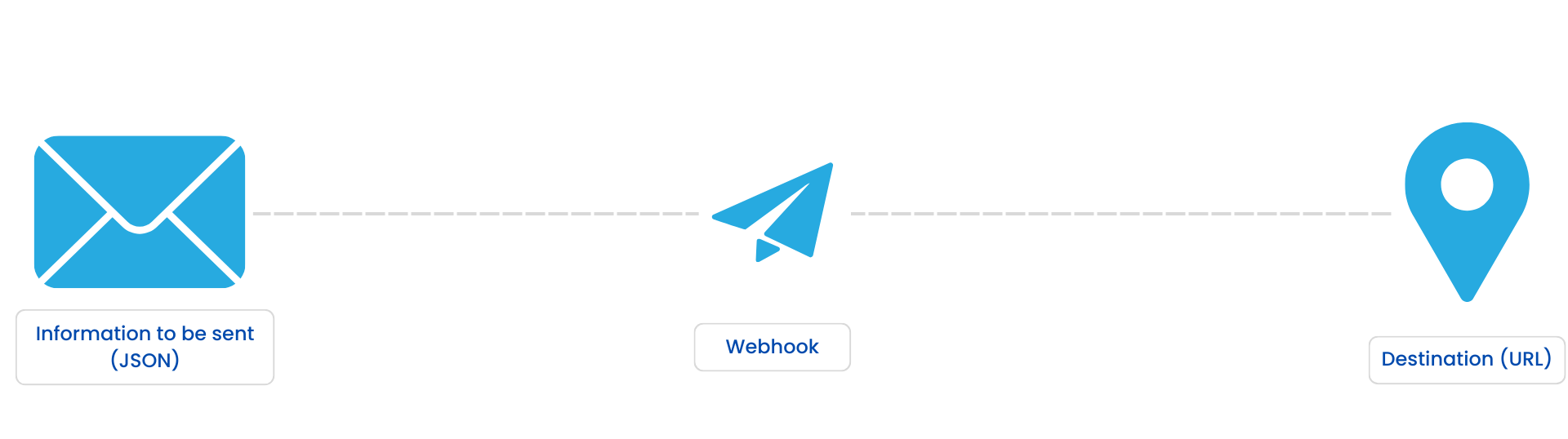
They act as a communication bridge that allows different systems to “talk” to each other through notification URLs.
You can use Webhooks to:
Receive information from apps that don’t integrate with Pluga.
Send information to apps that don’t integrate with Pluga.
The result? Full freedom to connect (pretty much) anything you want.
With Webhooks, Pluga becomes a true hub that can connect thousands of apps, as long as they have a public API and/or support webhook delivery.
How to receive information via Webhooks
The Webhook Trigger in Pluga allows you to start automations when an external app sends a request to a URL generated inside Pluga, a unique URL created for each automation. Every time Pluga receives a valid request at that URL, your automation kicks off.
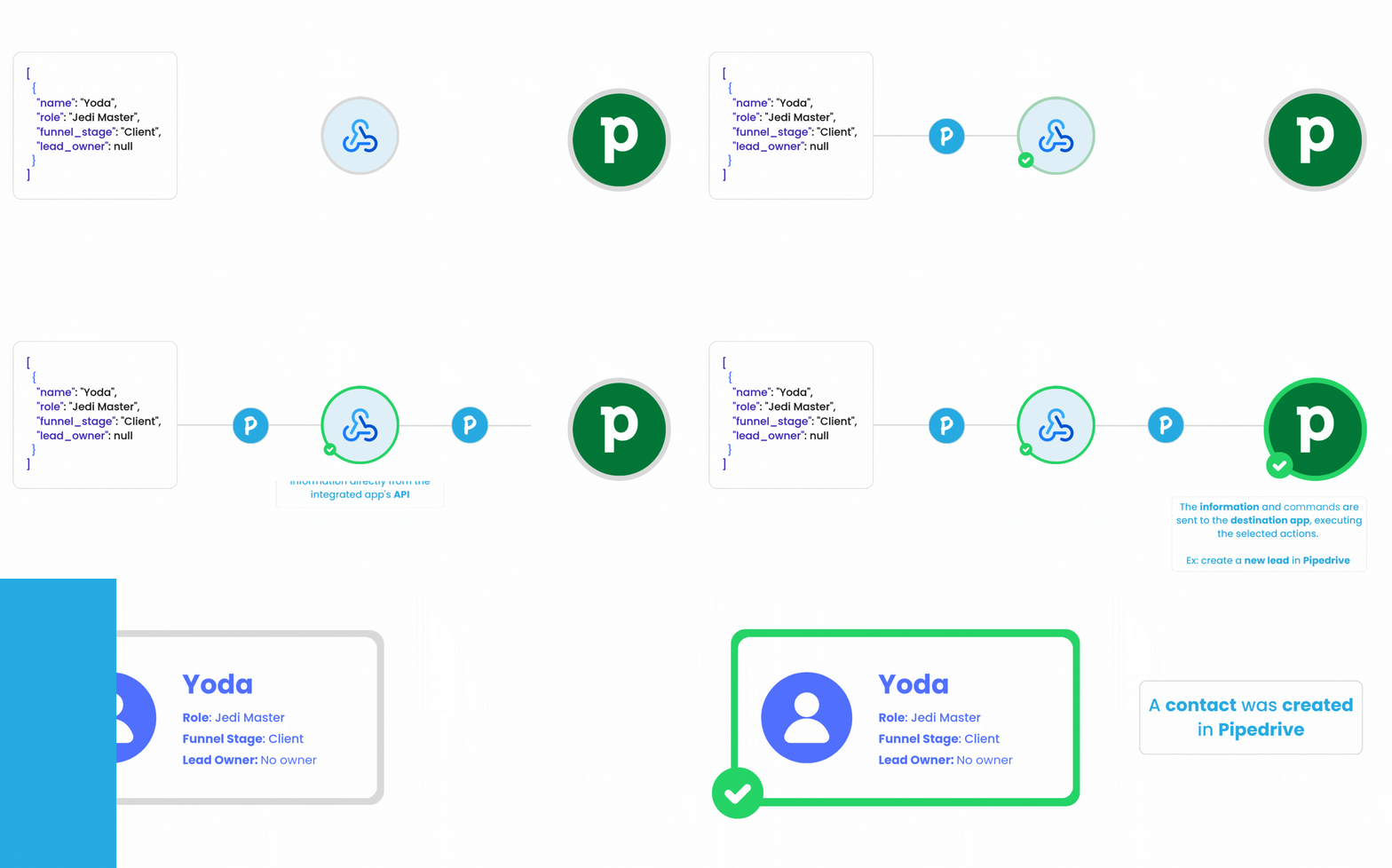
In this scenario, the information is sent to Pluga (via webhook). Pluga receives it and forwards it to the destination app.
Here’s how it works:
Most apps offer an option to register and configure Webhooks in their integrations panel.
So all you need to do is add Pluga’s URL inside the app you want to integrate.
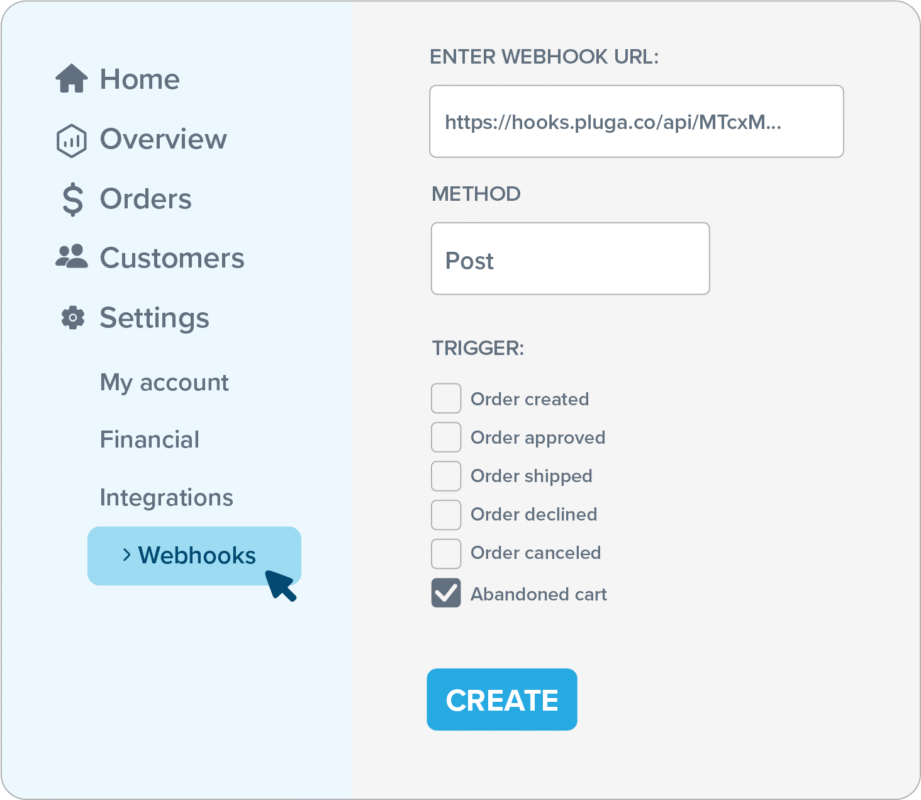
Once that setup is done, you can continue mapping your automation in Pluga, choosing which attribute should be sent to which field in the destination app.
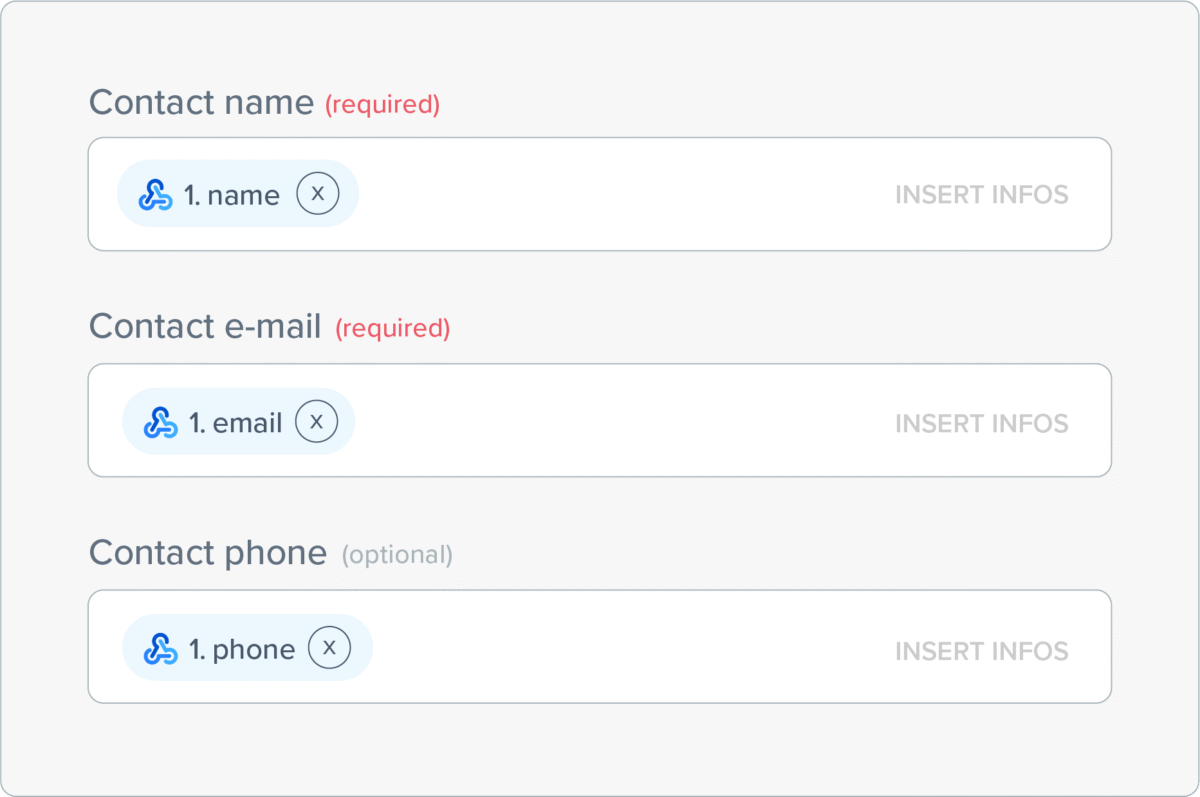
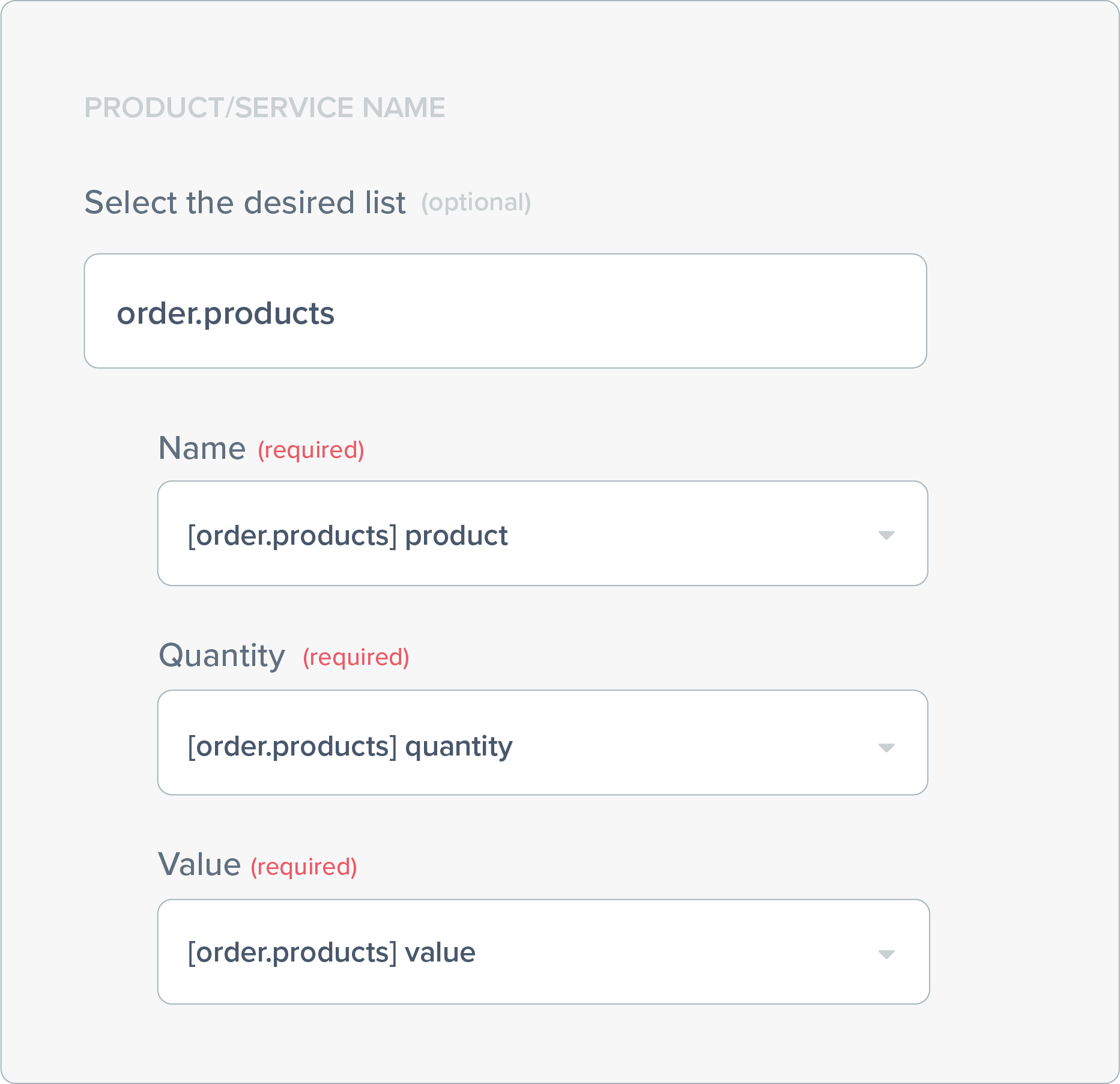
💡Tip: Pluga Webhooks can receive data in array format.
That means you can receive lists of items (such as a product list from a single order), and send that data to apps that support multiple items(for example, creating a sales order and listing every product purchased by the customer).
How to send information via Webhooks
You can also do the opposite: data captured by Pluga can be sent to any external app using Webhooks.
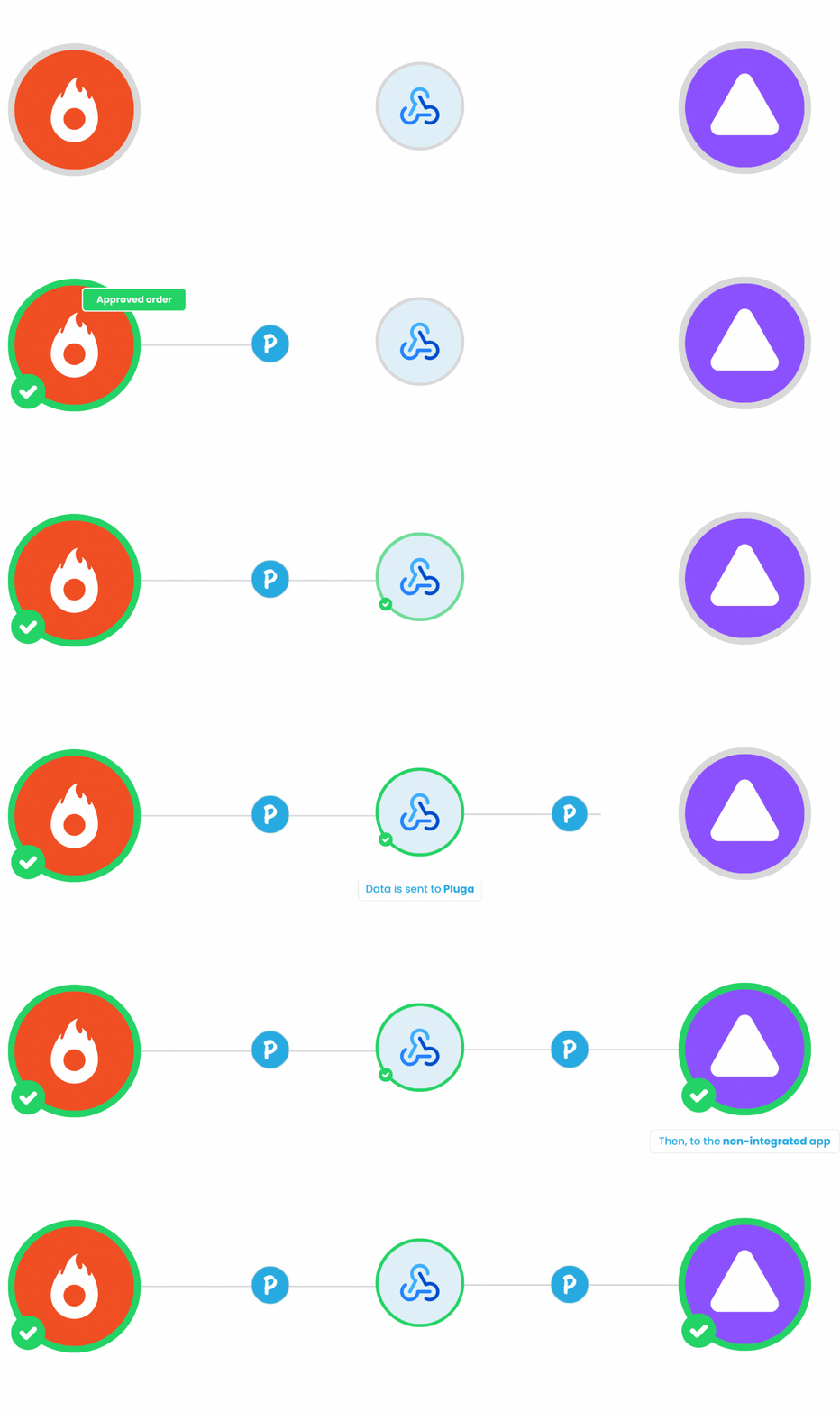
💡In this case, Pluga sends a direct notification to an external API, using any HTTP method (POST, GET, PUT, PATCH ou DELETE).
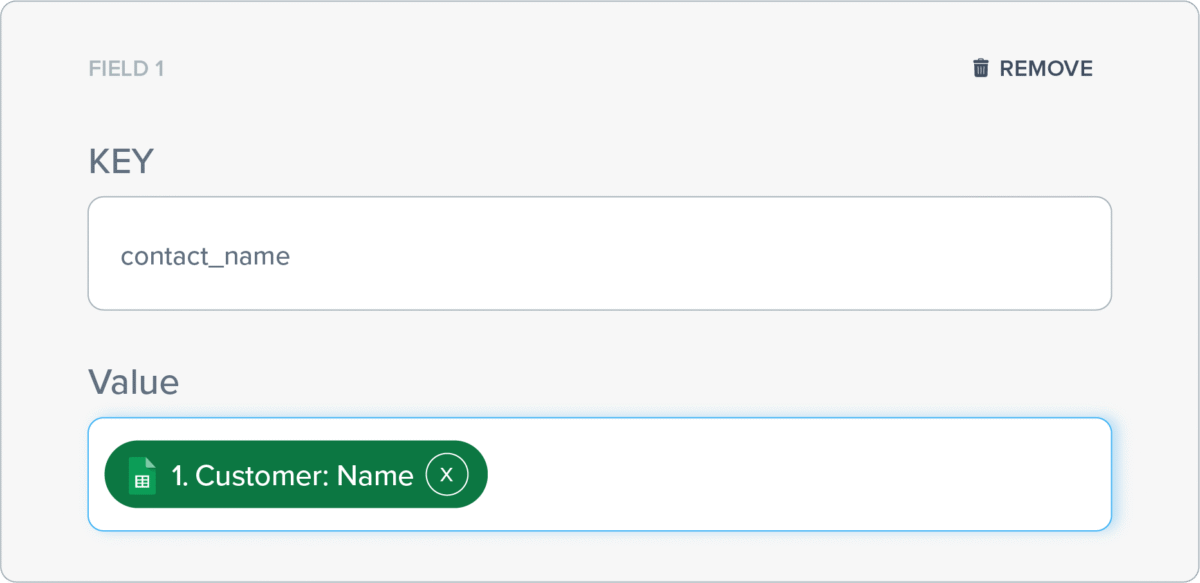
Inside your Pluga dashboard, you’ll register the URL that should be notified and define which information from the source app should map to which key in the destination app.
Then, whenever Pluga is notified of new information, it sends the data to the registered webhook URL (or API endpoint), placing each value in its correct field.
Popular use cases
Some platforms you can integrate with Webhooks on Pluga:



Why use Pluga Webhooks
✅ Integrate apps without native integrations.
No need to wait. Build your own integration in minutes.
✅ Full control over your data.
Choose exactly what is sent or received.
✅ No code, no headaches.
Pluga’s interface translates the technical logic into simple steps anyone can configure.
✅Maximum flexibility.
Works both for capturing events (triggers) and sending data (actions).
With Webhooks, you’re no longer limited to the catalog. One URL is all it takes to integrate whatever you want your way. Build fast, complete, no-code automations.
Frequently Asked Questions
A Webhook is a feature that allows you to integrate almost any app into your automation, even if it doesn’t have a native Pluga integration. It works as a bridge between systems, using notification URLs to send or receive data between apps that have a public API or webhook support.
To receive data, you generate a unique URL in Pluga and register it in the external apps integration panel. Whenever that app sends a valid notification, Pluga starts the automation using the received data, including arrays (like lists of products or items).
To send data, you register the external apps webhook URL or API endpoint inside Pluga and select which fields should be sent. Pluga notifies that URL using any HTTP method (POST, GET, PUT, PATCH, or DELETE), delivering each value to its corresponding key.
With Webhooks, you can integrate almost any system that has an API or supports HTTP notifications. This includes platforms like Elementor, Leadster, Wix Stores, Cartpanda and Pipedrive among hundreds more. In practice, you can connect almost anything and build complete no-code automations.