 2 min
2 minAutomating tasks and processes with Pluga was already powerful. Now, you can make your integrations even smarter with Pluga Conditional Filters ✨
Curious? Keep reading to see how to apply filters to your automations.

How do conditional filters work?
Conditional filters let you create refined rules inside your automations. In practice, they allow you to transfer highly segmented data between two or more apps, helping with financial management, customer and lead qualification, ads, orders, and more.
With this feature, you’re not just connecting apps. You’re defining E AND OR criteria so your automation only runs when it truly makes sense for your workflow.
In plain terms:
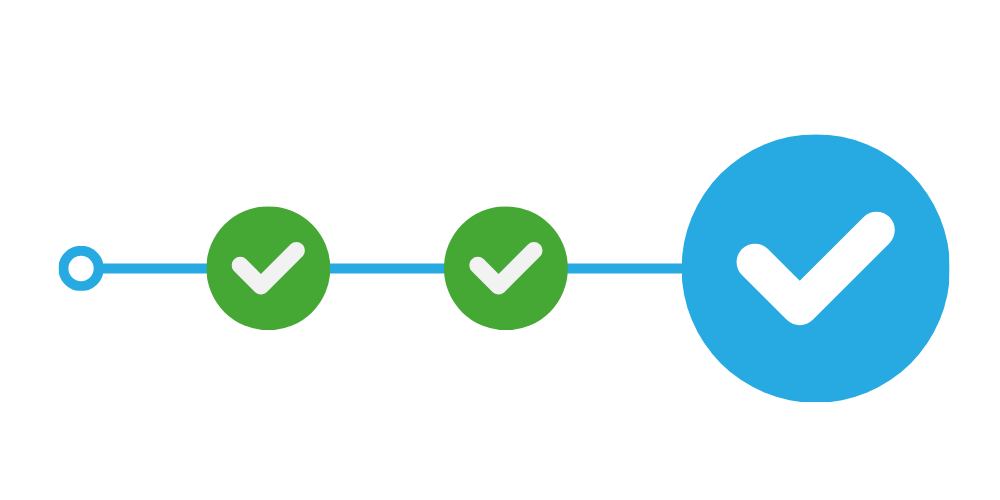 AND logic
All conditions must be true for the automation to run.
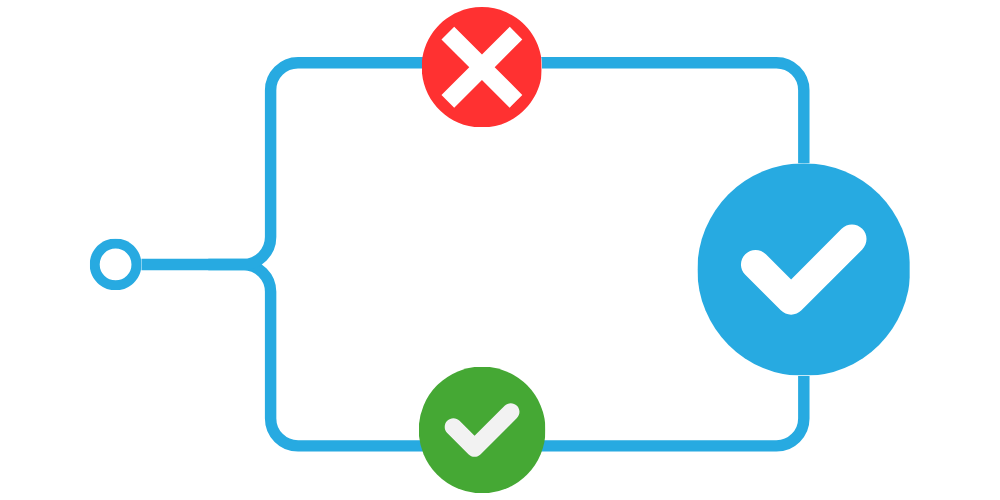 OR logic
Only one condition needs to be true for the automation to run.
The best part: you can combine multiple filter groups, mixing AND and OR, to build deeply customized scenarios.
Each automation runs only when it matches exactly what you need. No wasted flows. No unnecessary actions.
Use cases for Pluga Conditional Filters
Now that the concept is clear, where do these filters shine in real life? 🤔
Three common high-impact scenarios:

Better-qualified CRM data

More focused ad audiences

Smarter financial organization
Let’s see how that looks in practice.
Always-qualified CRM
If your ad campaigns generate tons of leads but only some truly fit your ideal customer profile, filters can qualify them automatically.
🔍 Practical example:
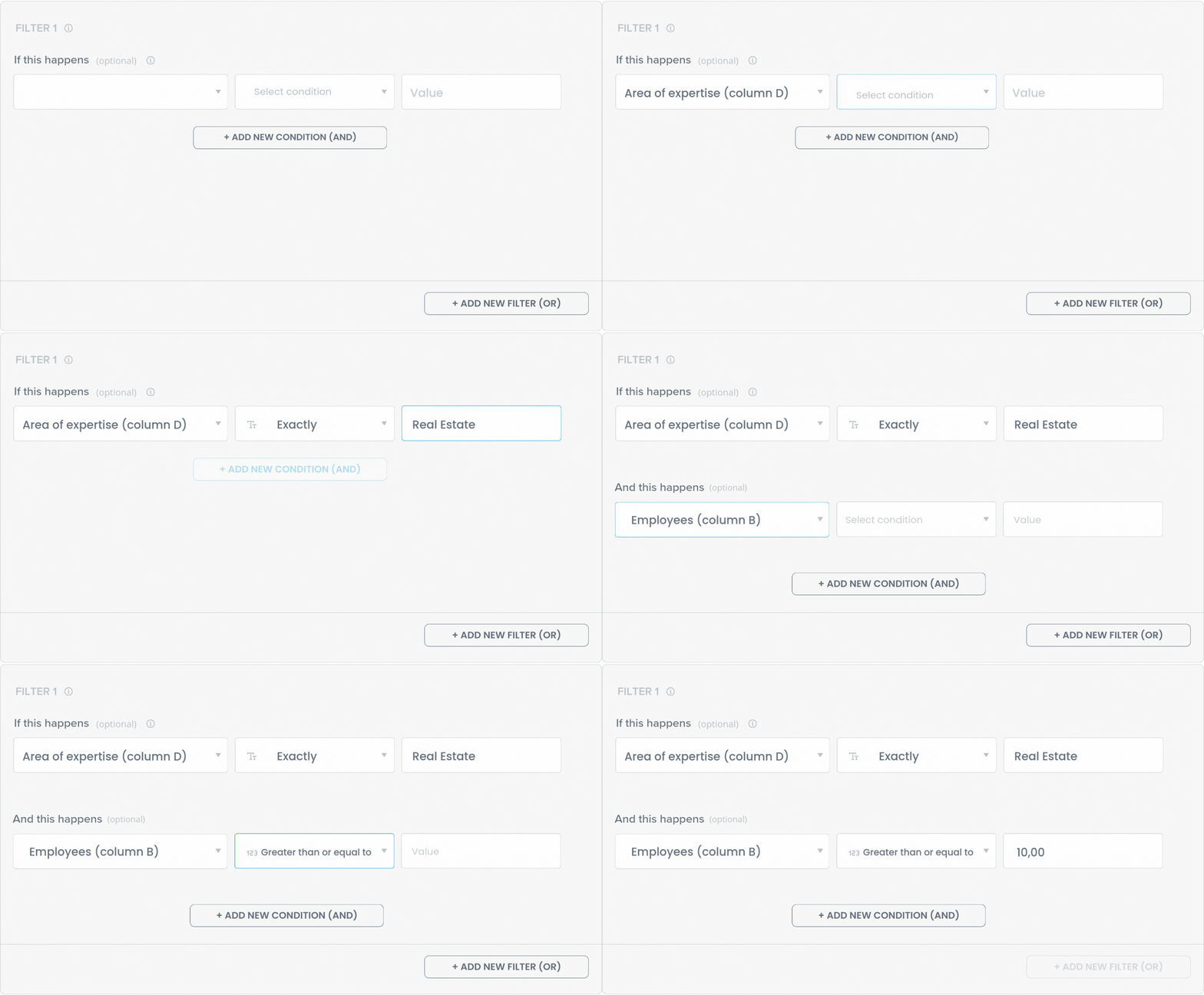
Only then does the lead enter your CRM funnel. Result: your sales team works only with contacts that actually matter.
Hyper-segmented ad campaigns
Imagine running campaigns targeted only at customers who buy certain products or spend above a specific amount.
By adding Pluga Conditional Filters to an automation with Facebook Custom Audiences, you can build this hyper-personalization automatically.
🎯 Practical example:
Create custom audiences for high-value or preference-based customers:
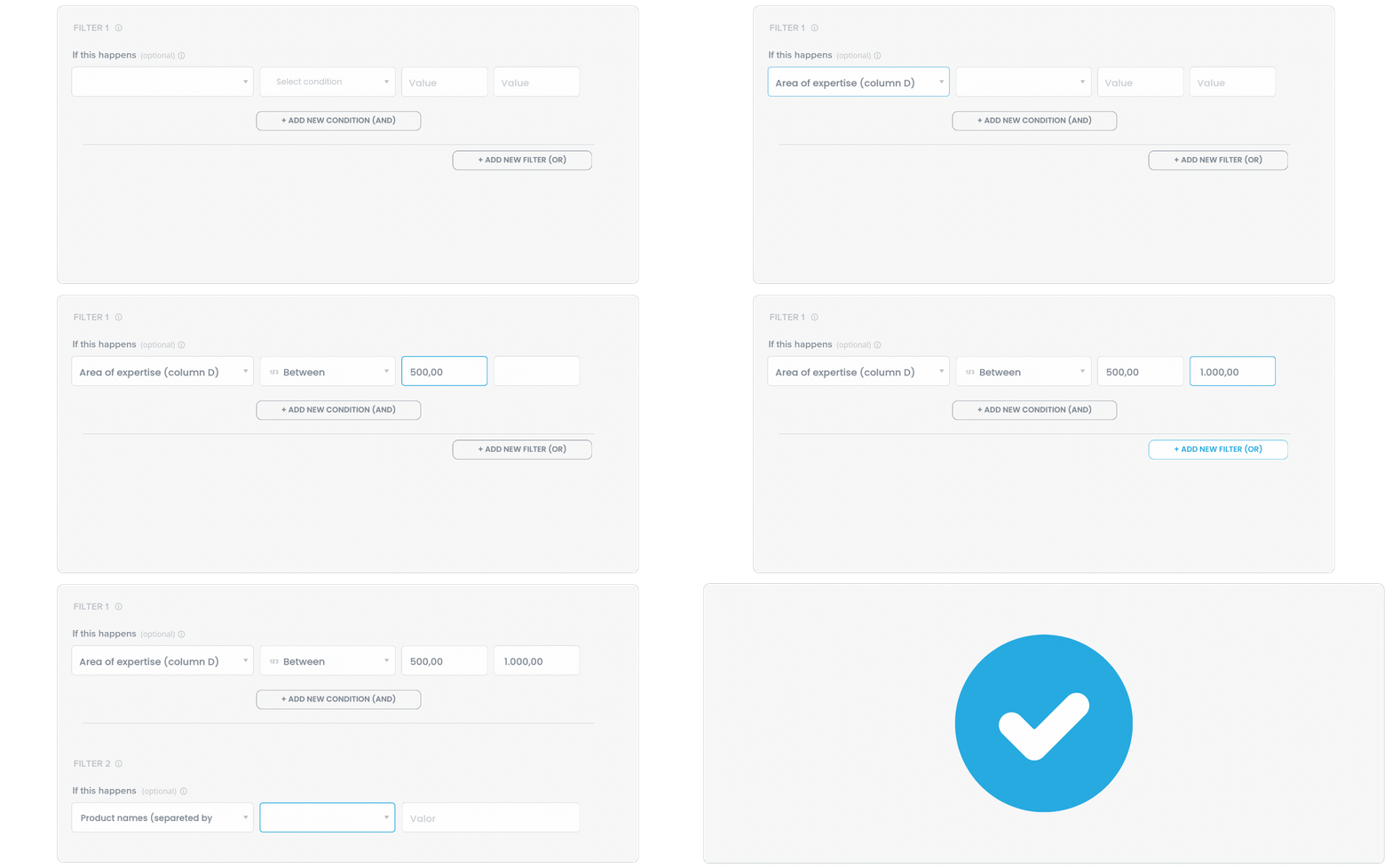
Only high-potential customers enter your Custom Audience, no manual data review required.
More organized finance operations
Does your finance team receive dozens of emails per day and need to separate invoices and payment requests from everything else?
Conditional filters make this easy:
💸 Practical example:
Automatically filter important finance emails:
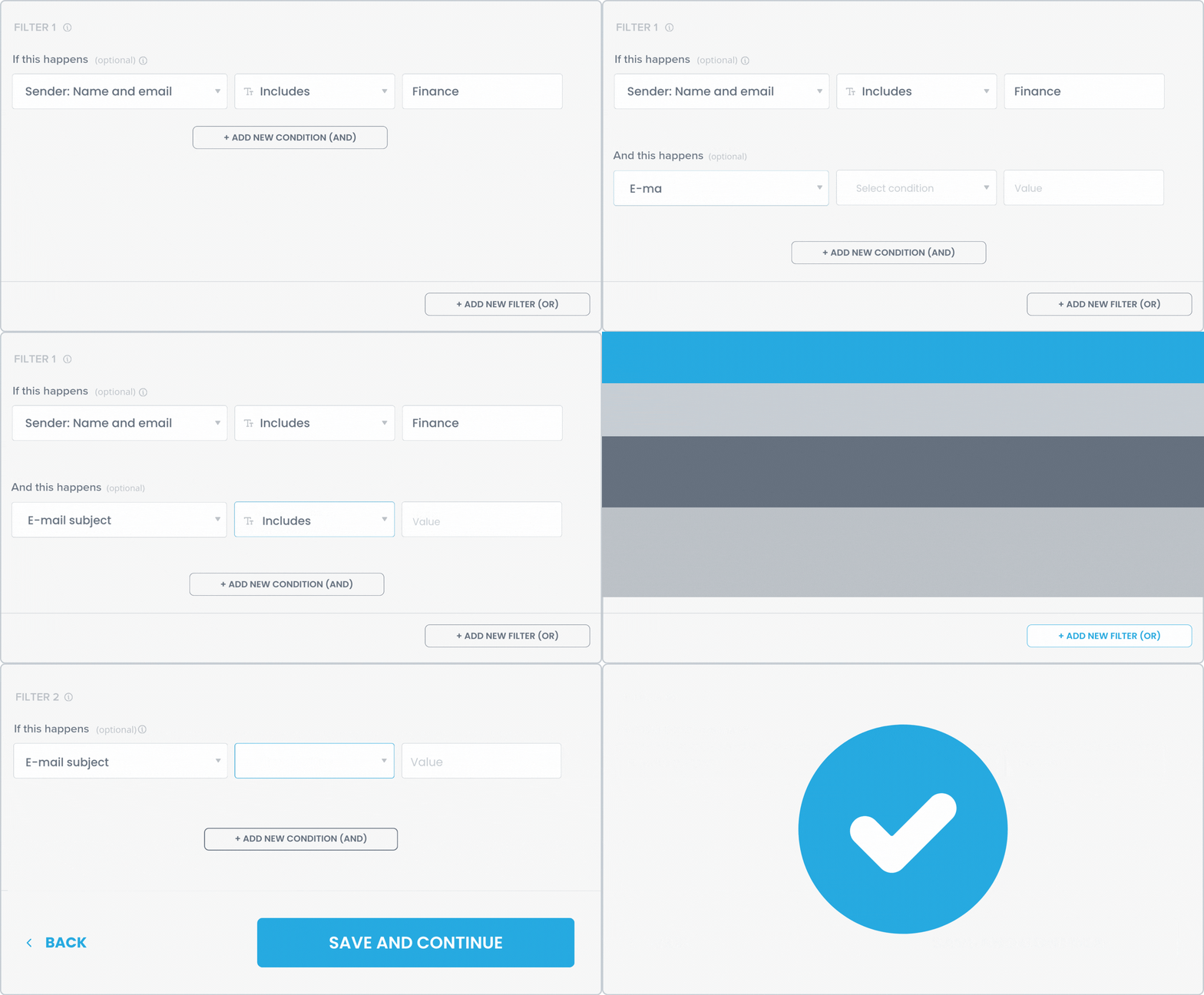
That way, billing messages don’t get buried in your inbox, they go straight to your management system or spreadsheet.
In this setup, the system can also send a Slack notification to the finance team, so critical information never gets lost in the inbox.
Ready to automate your way?
With Pluga Conditional Filters, you have full control over when and how your automations run 😍
Log in login or create your free Pluga account and start automating with smarter, sharper segmentation.