 4 min
4 minHow many times have you caught yourself doing the same task every Monday? Or forgotten to send an important report because the day got hectic?
Now imagine having a task scheduler that makes things happen automatically, at exactly the right time without you needing to remember or spend time doing them manually. 🤯
Pluga’s Scheduler lets you create automations that run on the days and times you define.
You save time, keep operations organized, and stop relying on memory or improvised reminders.
What can you do with Pluga’s Scheduler?
Most automations start with a trigger like a new row in a spreadsheet or a new lead from a form.
With Pluga’s automation Scheduler, you can build workflows that run on a schedule you choose like an alarm clock for your operations without depending on a trigger from another app.
You can use the Scheduler to:
- Automatically create and send weekly reports;
- set recurring activities in your project management app;
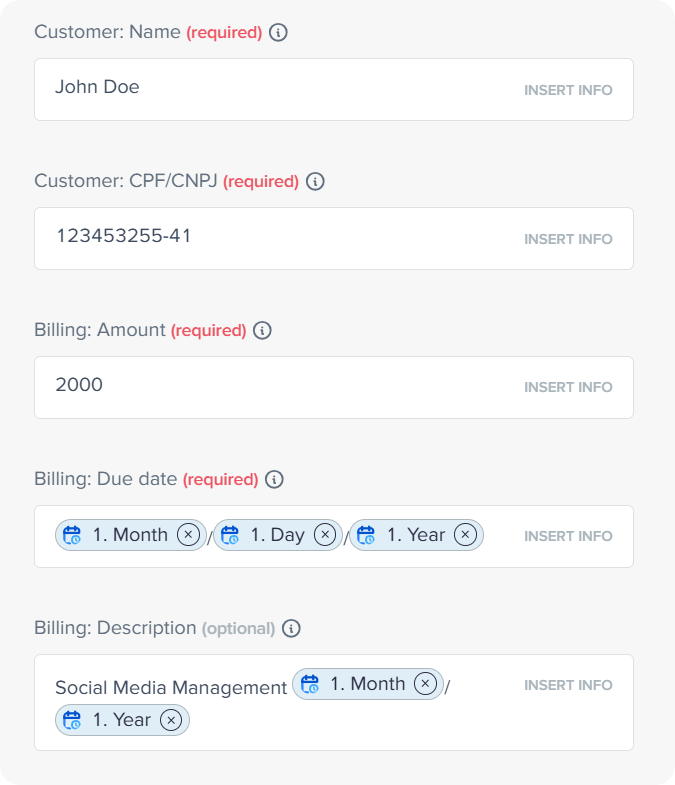
- generate recurring invoices and charges;
And much more..
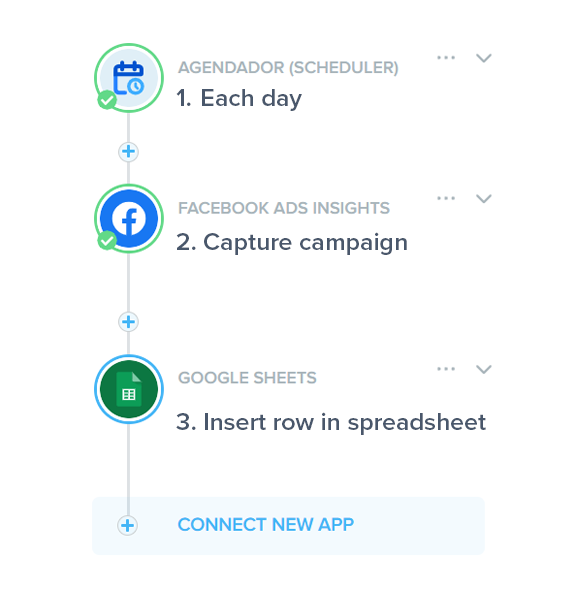
You choose the frequency (daily, weekly, monthly, or custom) and the exact time. Then Pluga handles the rest.
Funcionalidades do agendador da Pluga
Daily and hourly runs
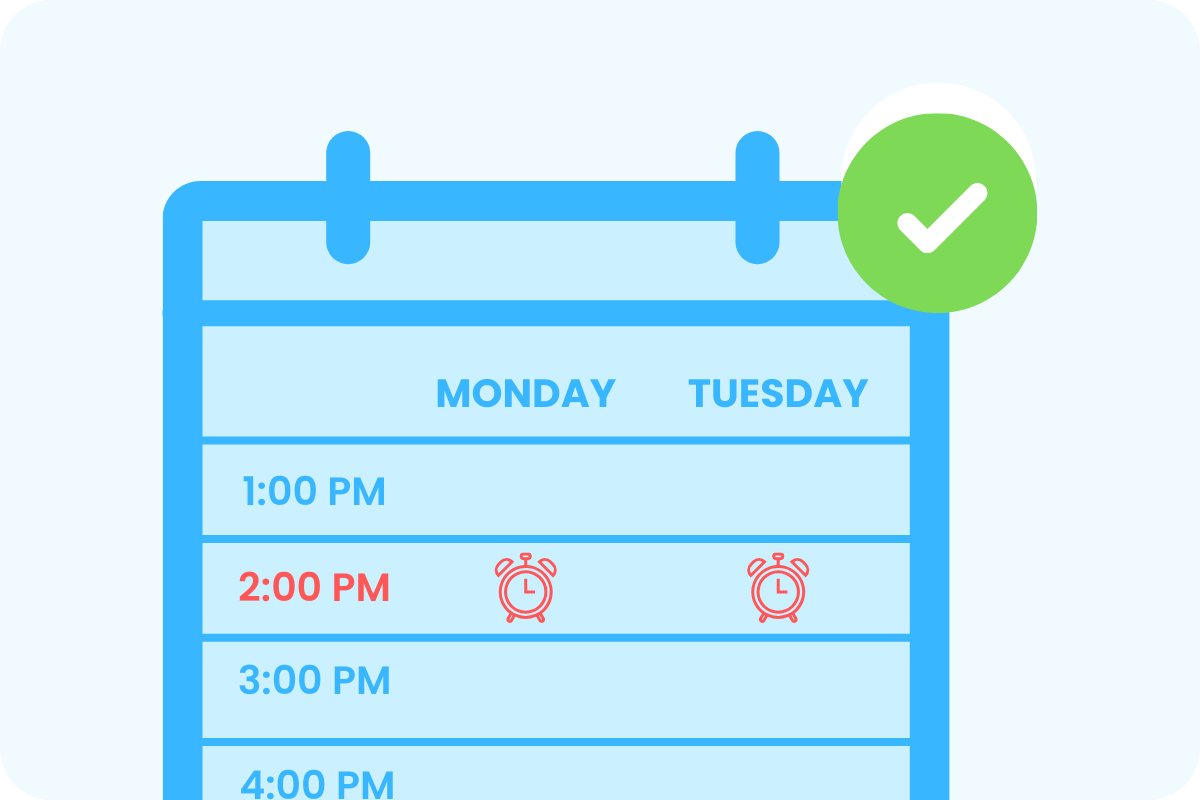
Perfect for tasks that require precise timing, like sharing updates, syncing information across teams, and more.
Weekly or monthly runs
Ideal for sending team reminders, issuing invoices, reviewing proposals, sending newsletters, and keeping everything on track without needing to remember a thing.
Advanced conditions
Need to run based on a specific time zone? Skip weekends? Trigger only on certain days of the month or specific months of the year? You can set all of that too.
Example use case:
Automating weekly document delivery
Every week before your team’s weekly meeting at 11h AM you need to prepare a planning document and send the link to participants plus remind them about the meeting one hour before.
You can set up this flow in a few steps:
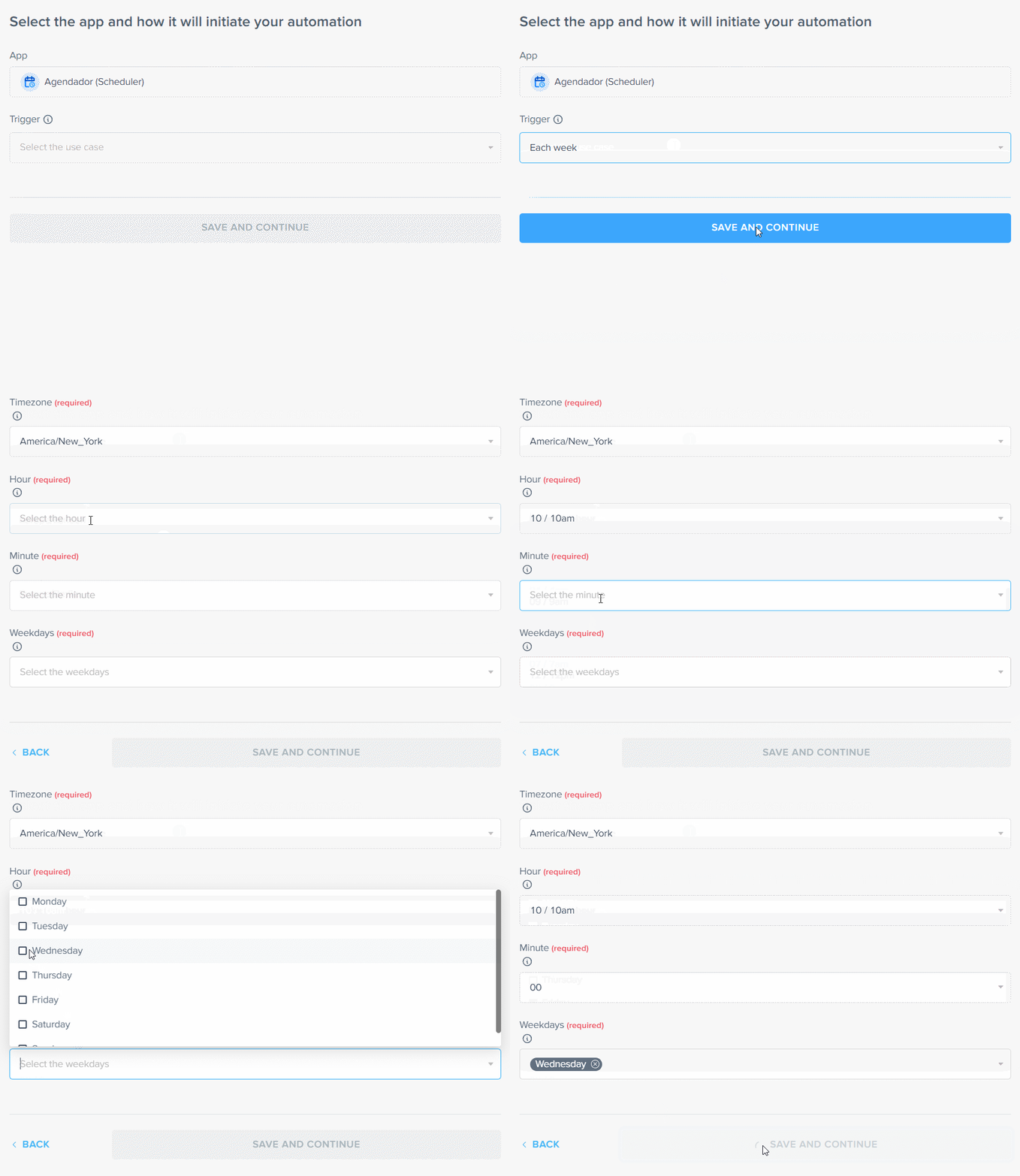
1. Configure the automation to run every Wednesday at 10 AM
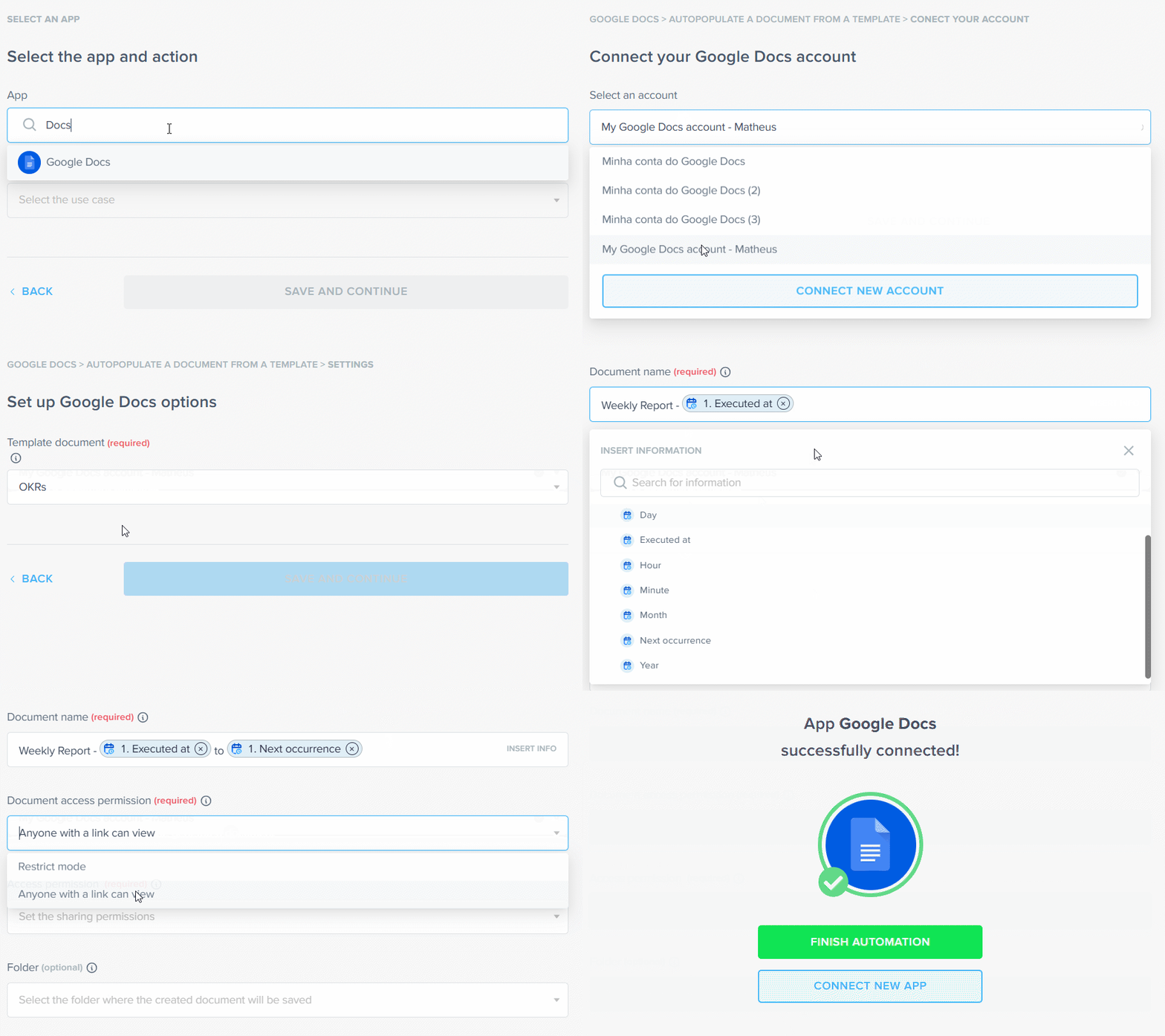
2. Create a meeting agenda document using a Google Docs template;
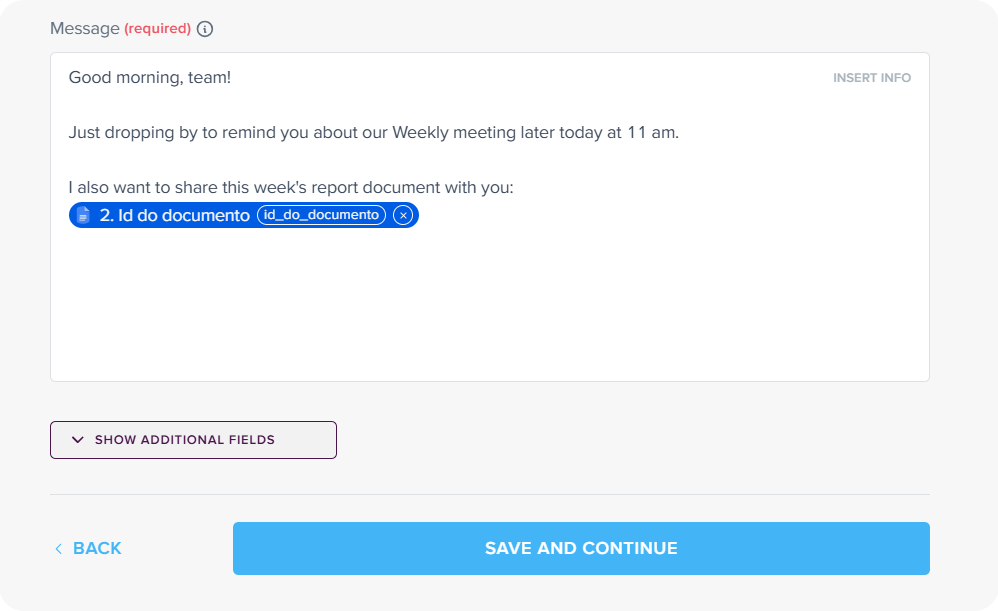
3. Send a reminder with the document link to your team’s Slack channel.
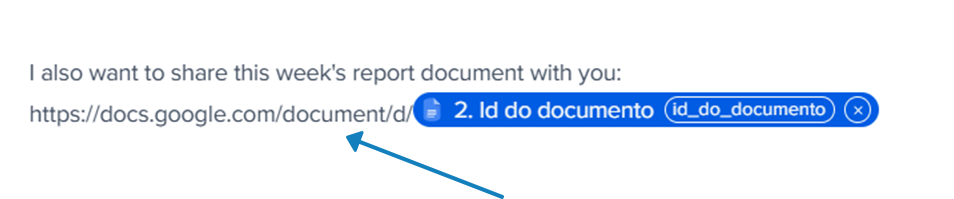
💡 Pluga Tip: You can’t directly select the file link, but you can generate it during mapping. (Click to expand)
Creating recurring tasks in project management apps
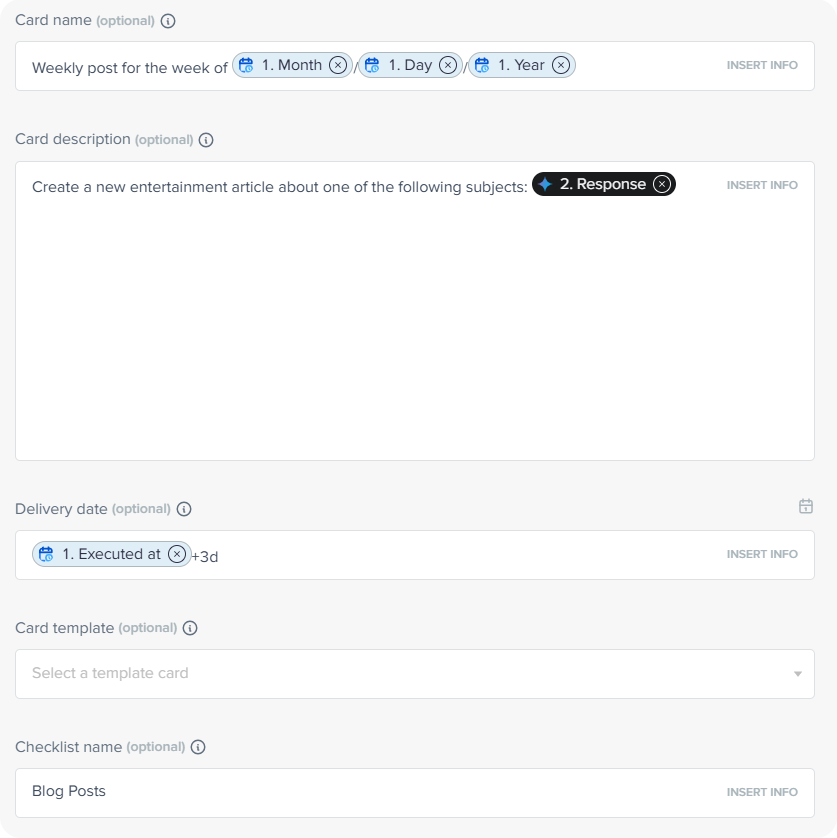
Need your team to regularly perform the same activity like writing blog articles to drive traffic and engagement?
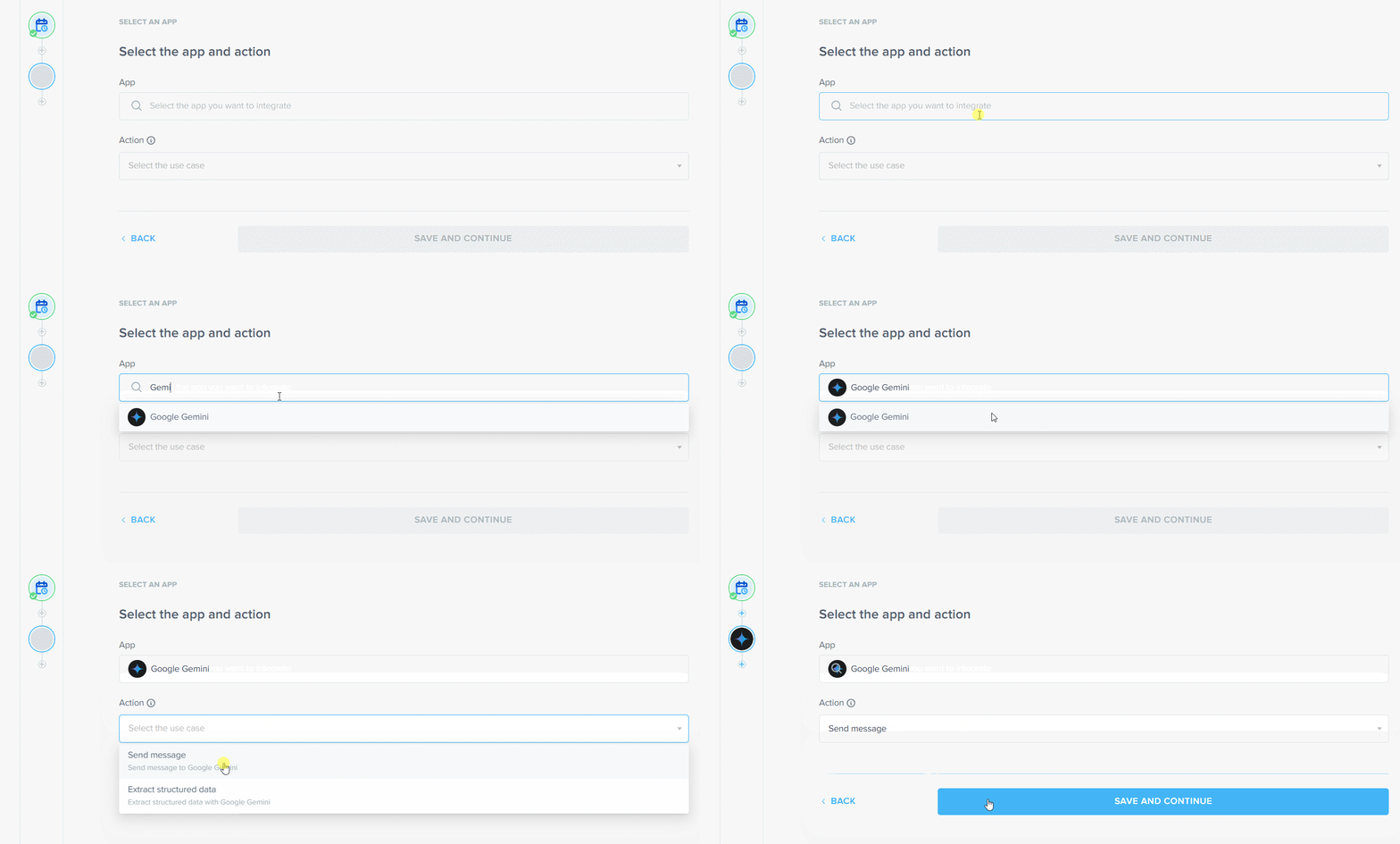
👇 See how to set it up in 3 steps: (Click to expand)
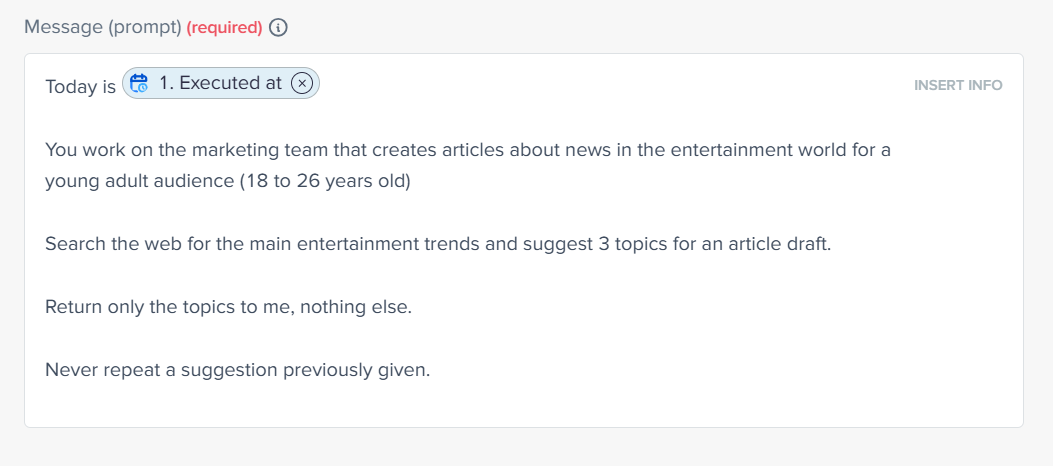
Once the AI is connected, provide a prompt to generate new content ideas.
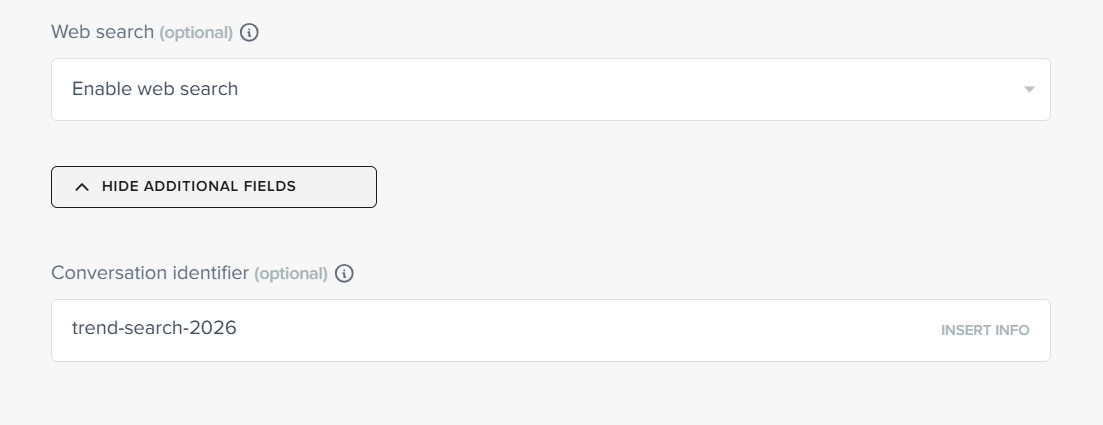
Add a conversation identifier to prevent repeated suggestions. This allows the AI to recall previous topics and avoid duplicates.
Insert the AI’s response into a new card. Every week, a new task appears on your board, boardfilled with fresh suggestions.
Generating recurring charges for ongoing clients
Want to schedule invoice creation for a client who pays you monthly?
👀 See it in action: (Clique para expandir)
Tips to customize your scheduled automations even further
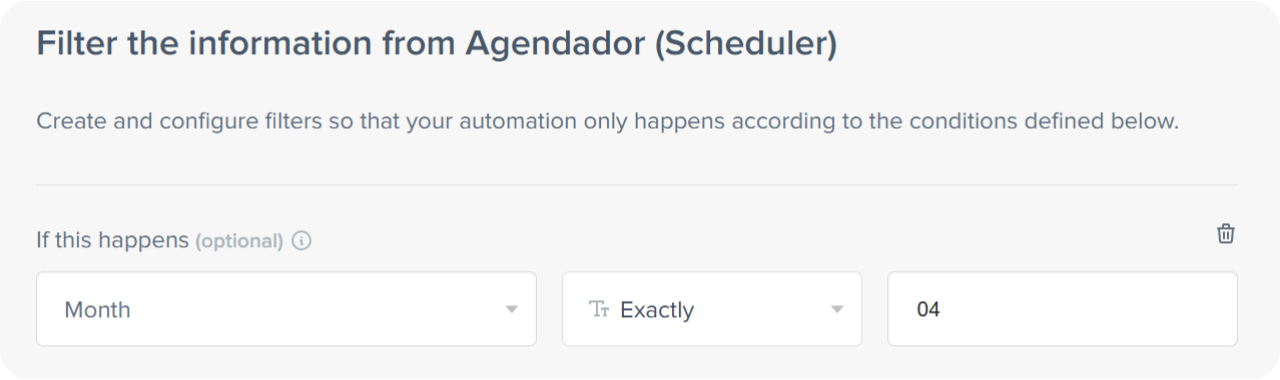
Annual automations with Pluga’s Scheduler? Yes, that works too.
Você consegue personalizar mais ainda a frequência do seu fluxo combinando os campos de configuração do agendador com o filtro da Pluga.
For example: to run something once a year in April, create a monthly schedule and add a filter where month equals 04.
Use scheduling data in destination apps
Pluga’s Scheduler provides mapping fields like day, month, year, execution time and next recurrence date – and you can use this data inside your destination apps.
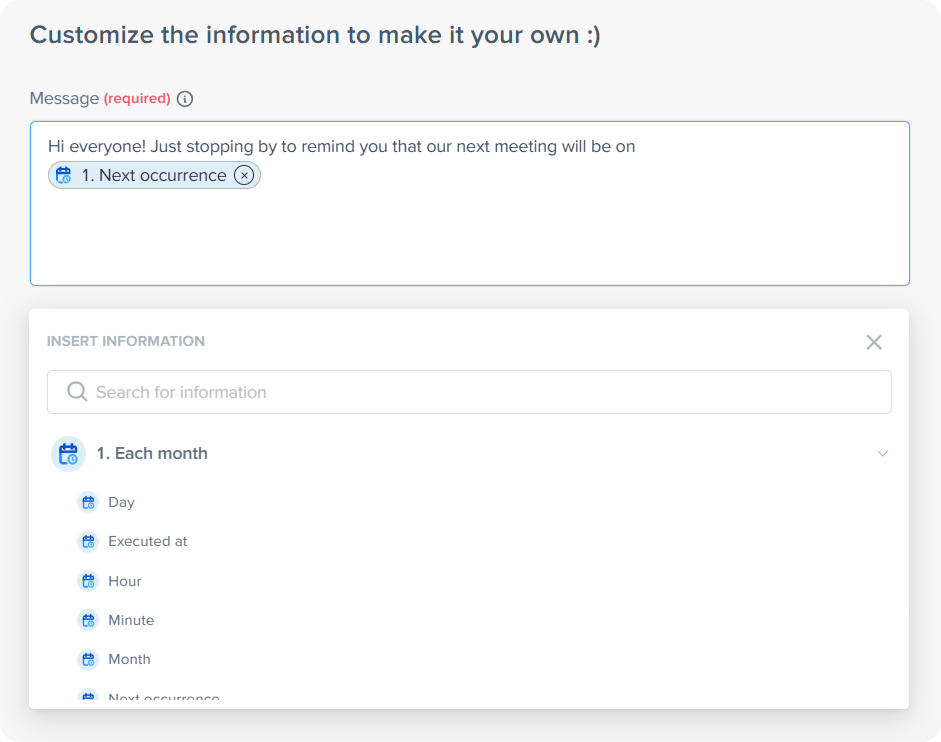
Create deadlines based on execution date
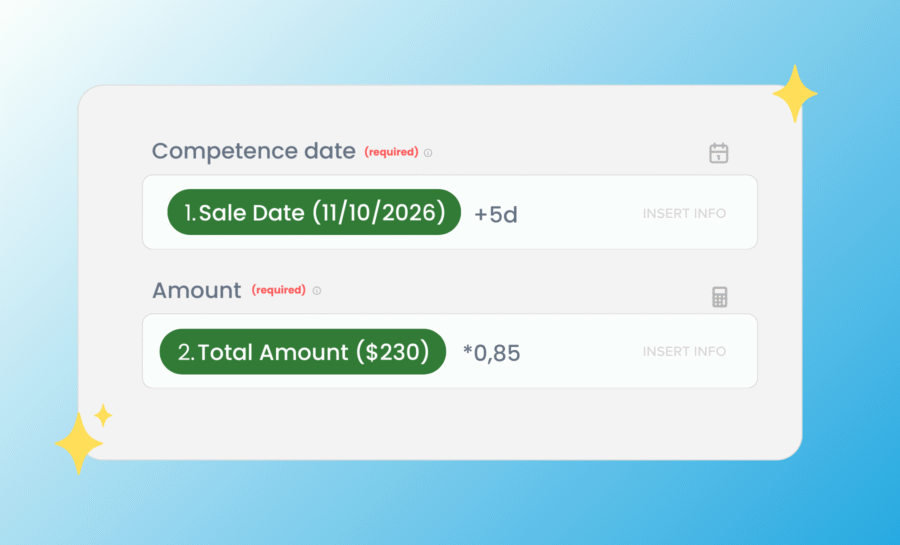
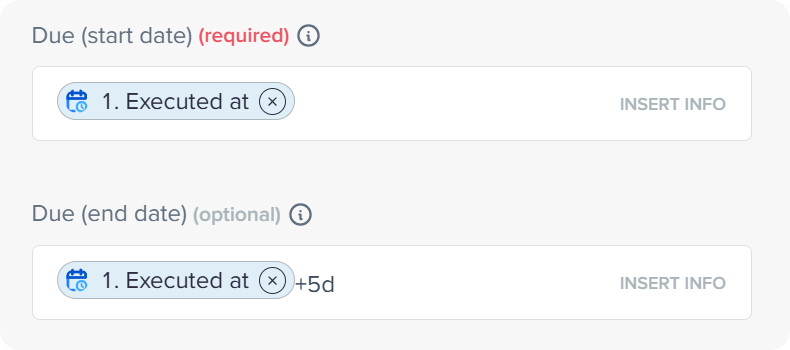
Using Pluga’s mathematical operations feature, you can set deadlines relative to the automation run date.
For example, when creating a task in Notion, you can add a 5-day deadline by using “+5d” after “Executed at”:
Automating recurring tasks is a smart way to save time and ensure nothing falls through the cracks. And the best part: it doesn’t need to be complicated.
Turn repetitive work into workflows that run on autopilot. Create your first scheduled automation now head to Pluga and start scheduling.
Frequently asked questions
Pluga’s Scheduler allows you to create automations that run on the days and times you define.
Daily and hourly runs; weekly or monthly runs; advanced conditions.
In many situations such as creating recurring tasks in management apps or generating recurring client charges.